
不知道有没有人跟我一样家里的纸质书买了基本上不看,但是手机的读书软件却基本上天天打开,那既然这样为什么不选择电子书呢?比手机更护眼,比纸质书更方便。
【BV1U9dgBHEya】复制括号里的BV号到哔哩打开,或者搜索小杰加电查看视频版本更直观!感谢支持!

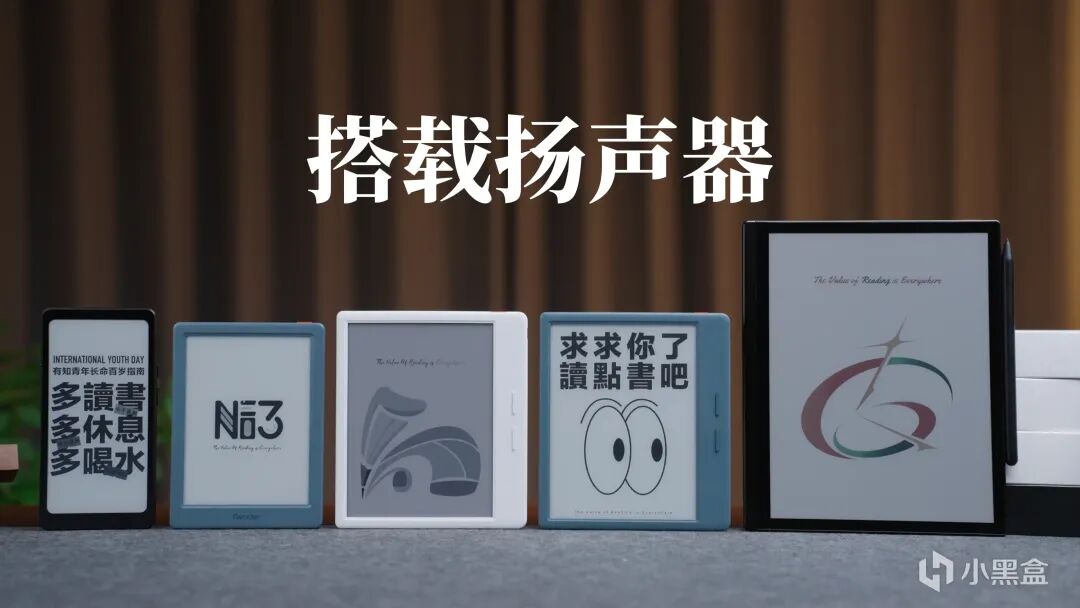
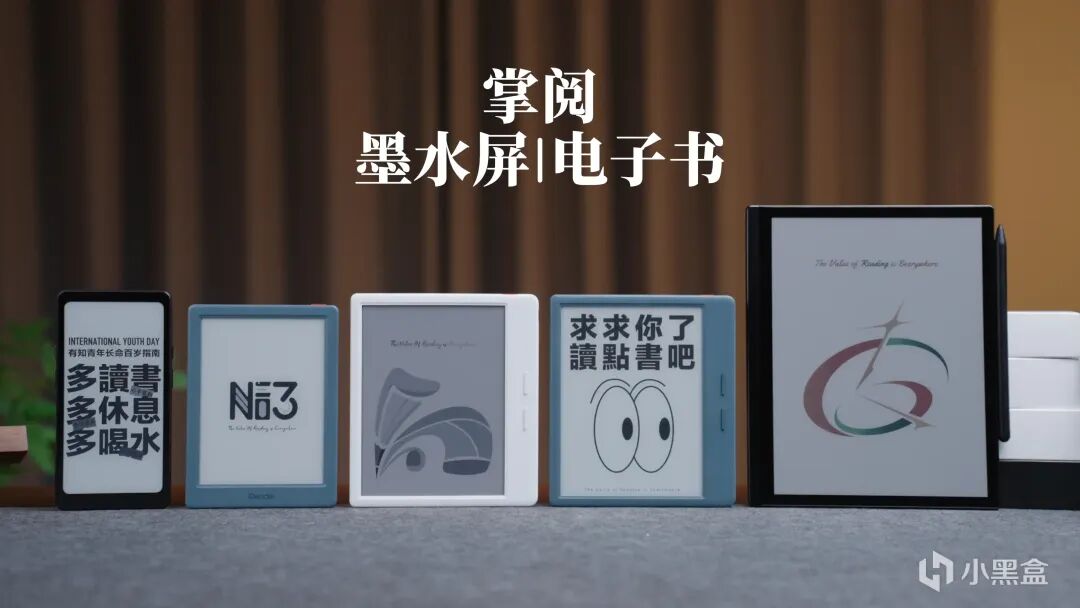
但是选择起来确实挺难的,所以我直接找来了五款掌阅的墨水屏产品,价位跟形态覆盖齐全,不管你是新手小白还是资深用户,总有一款适配你的需求。
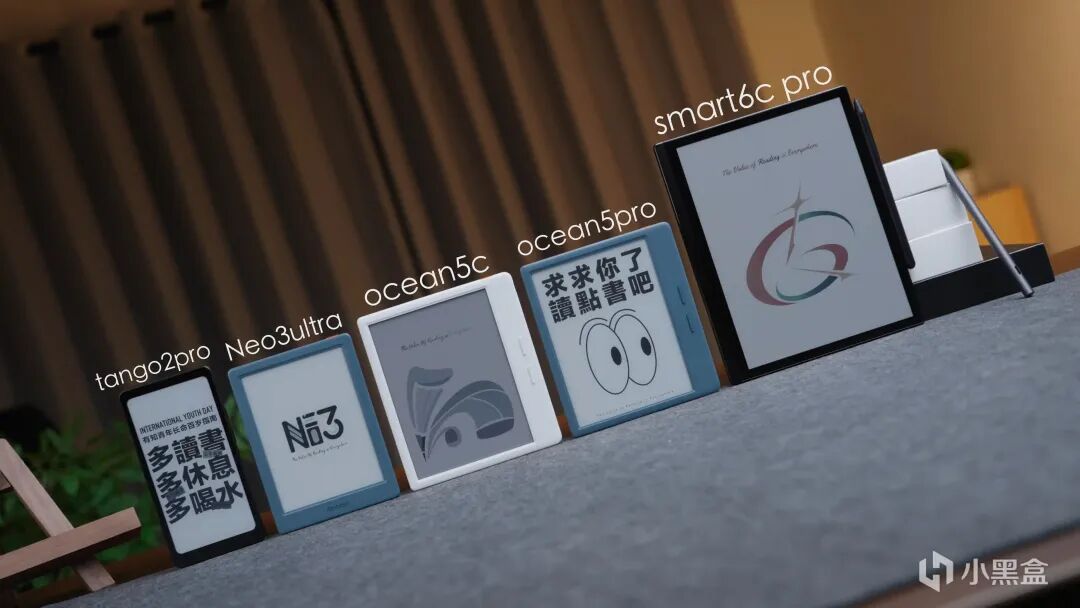
第一款登场的,是掌阅Neo3ultra
定位就是入门级平价选手,专门为预算有限、第一次接触墨水屏的新手量身打造。
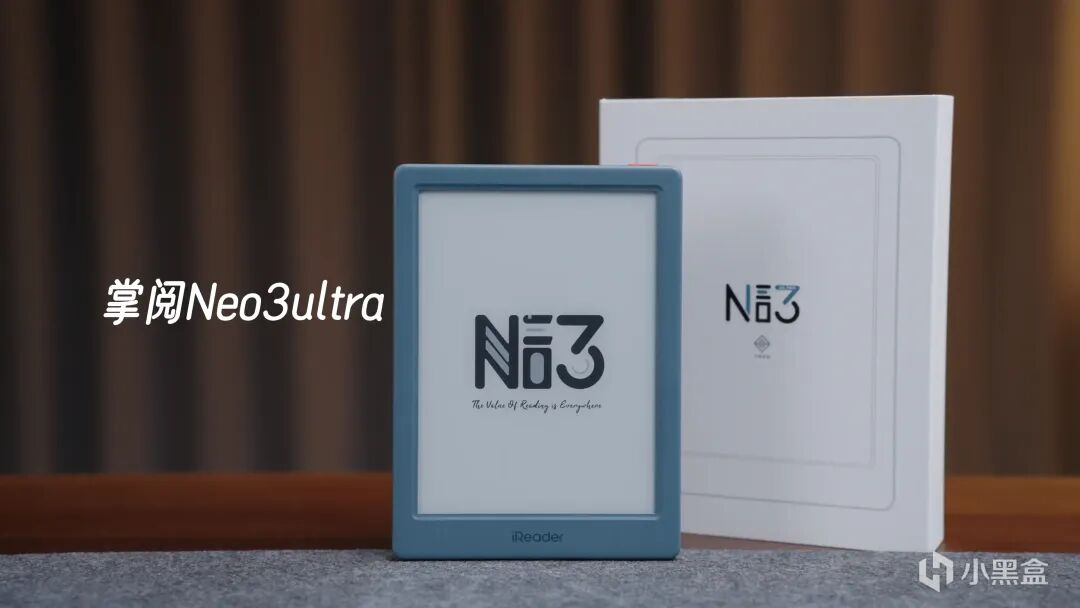
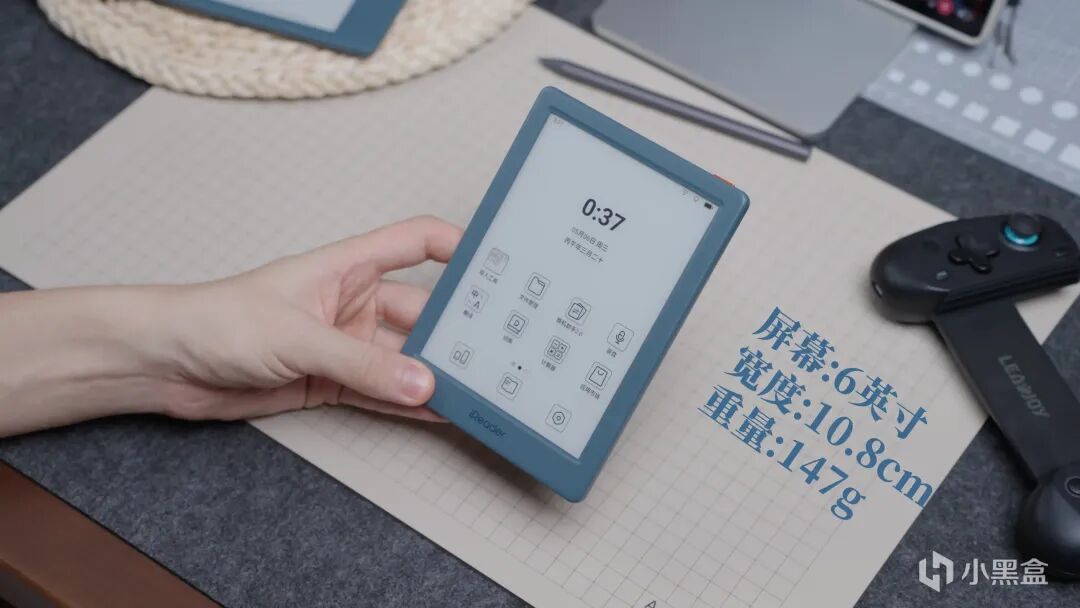
6寸屏幕,机身宽度10.8厘米,147克的重量,属于比较轻薄的那一类,整体质感不错,握持起来也很舒服。
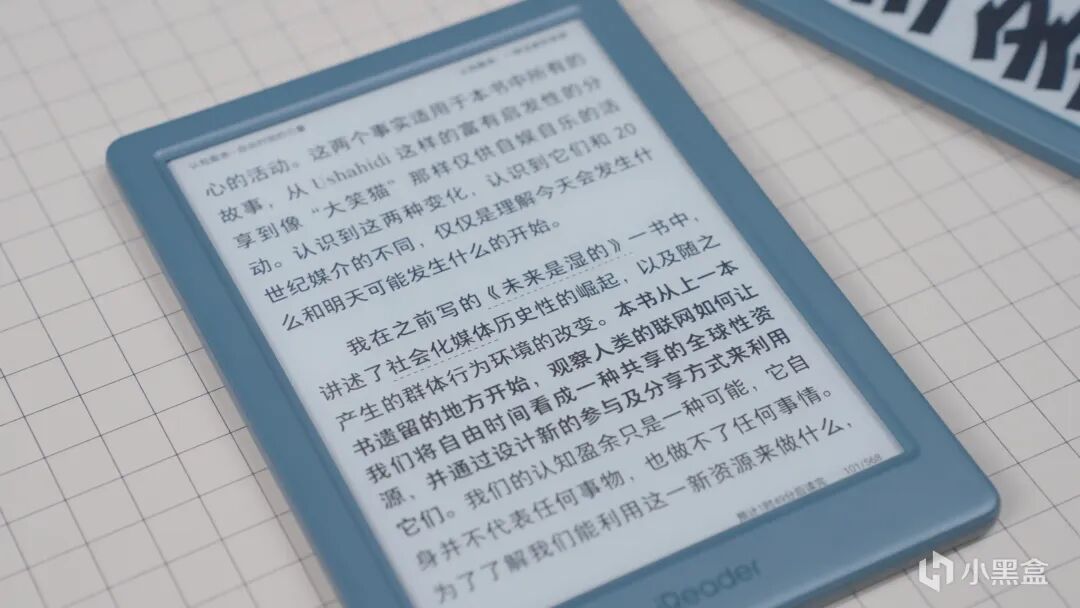
屏幕采用Carta1300凹屏技术,搭配300ppi分辨率,文字显示比较细腻,边缘清晰不模糊,比较适合长时间阅读,小尺寸加上轻重量,出门放包包里,完全不占地方,携带非常方便。
我比较喜欢的是它的听书模式,这次的五款产品都自带扬声器,掌阅的听书音色一直很出色,活人感很强,能够做到恰当的且自然的语气跟情绪表达,平时办公,做家务,睡觉前听书的体感很棒!
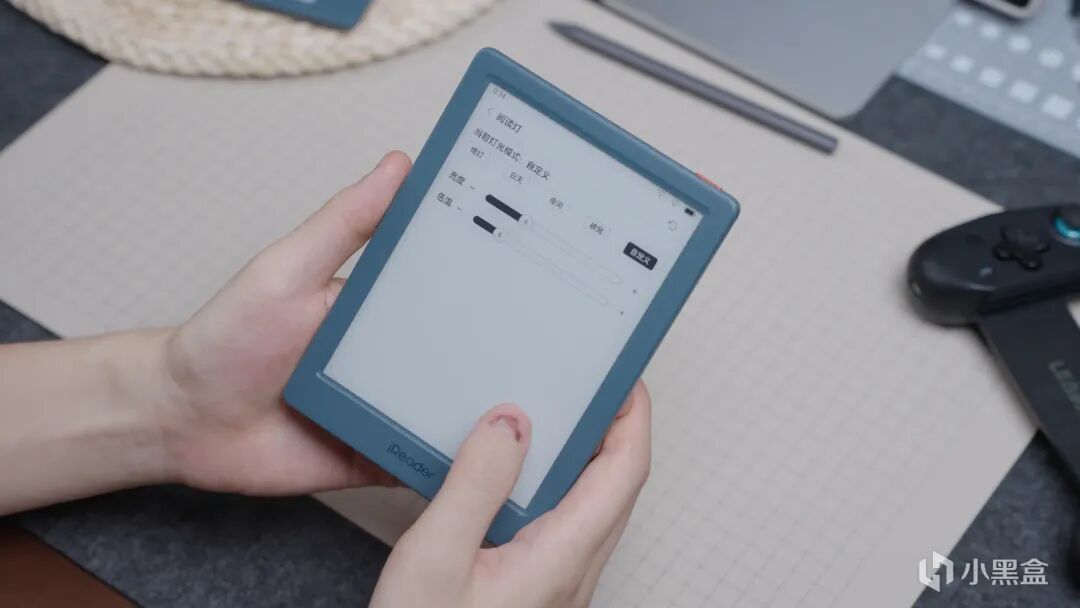
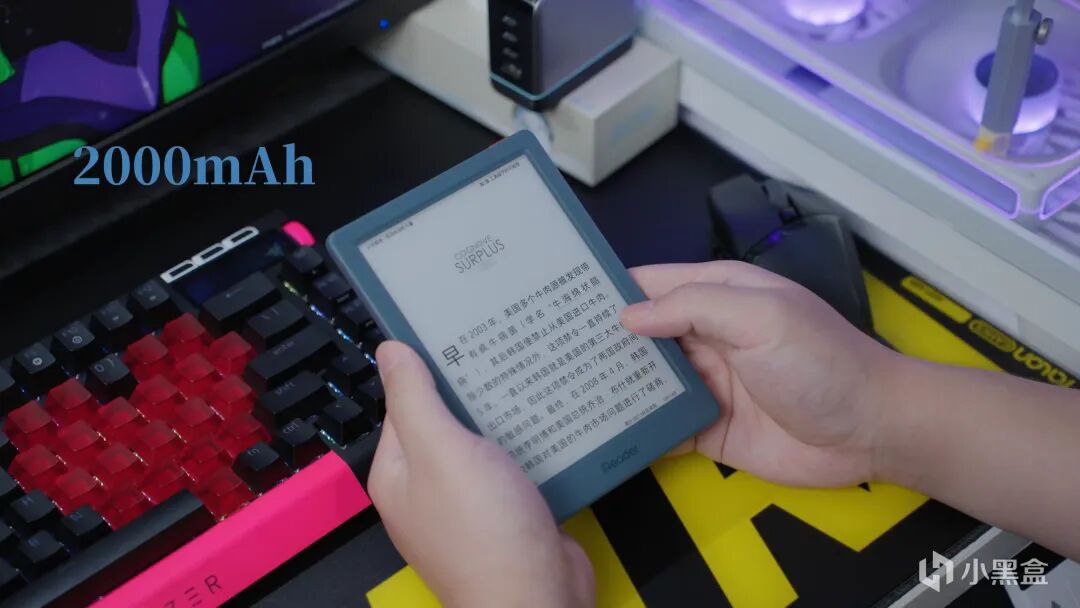
系统操作流畅不卡顿,字体大小、屏幕亮度都能根据自己的习惯自由调节,日常阅读的所有需求,它都能轻松满足。续航更是墨水屏的常规优势,2000毫安时电池,可连续阅读五十多个小时,充一次电,正常使用能用好几天,
在同价位段里,这样的配置和体验,可以排在前排了。
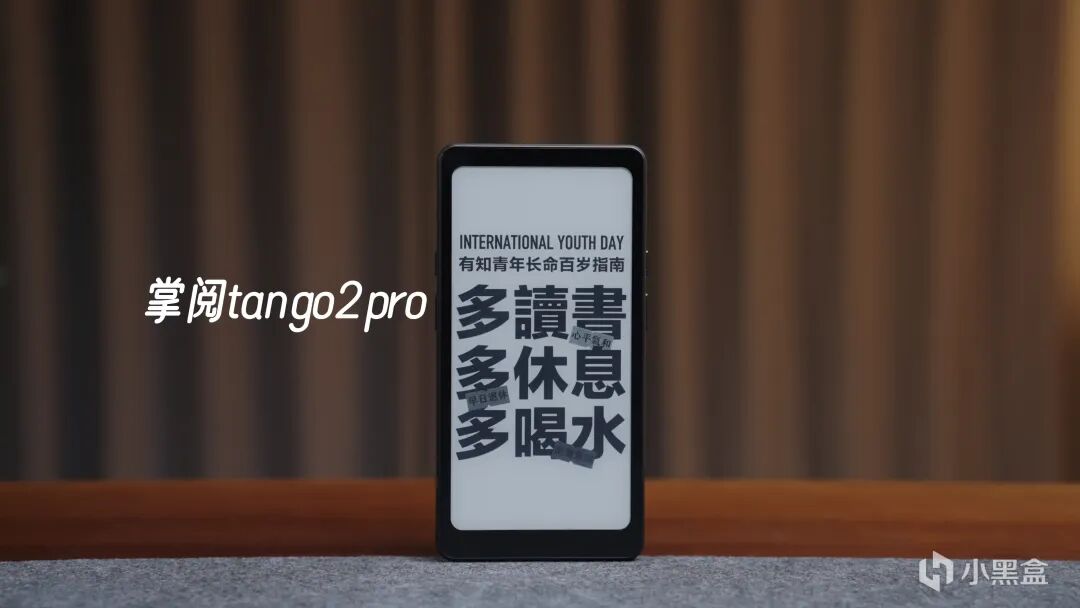
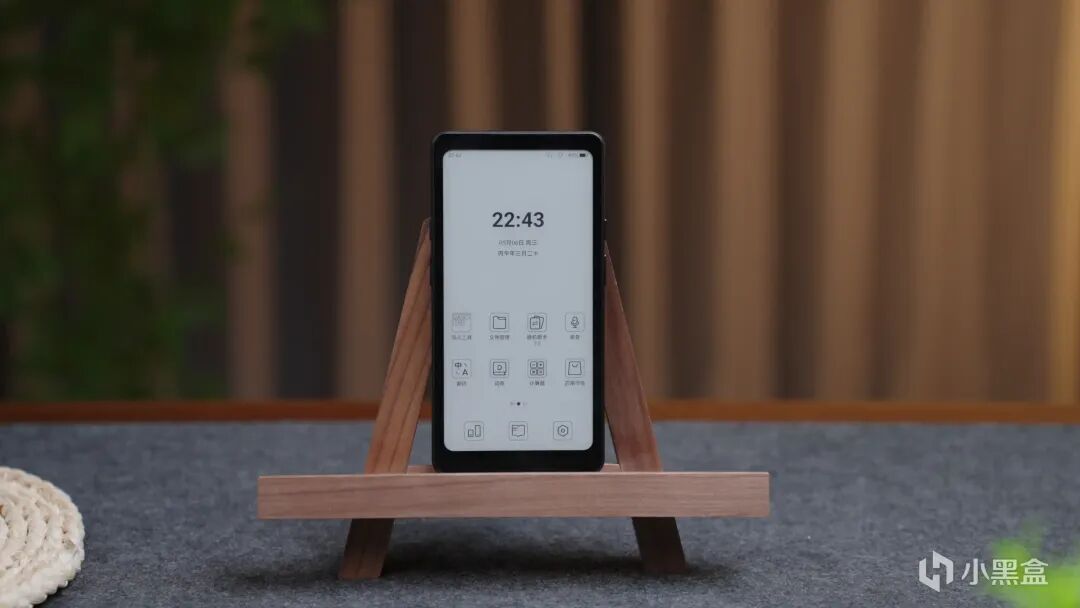
第二款,掌阅tango2pro
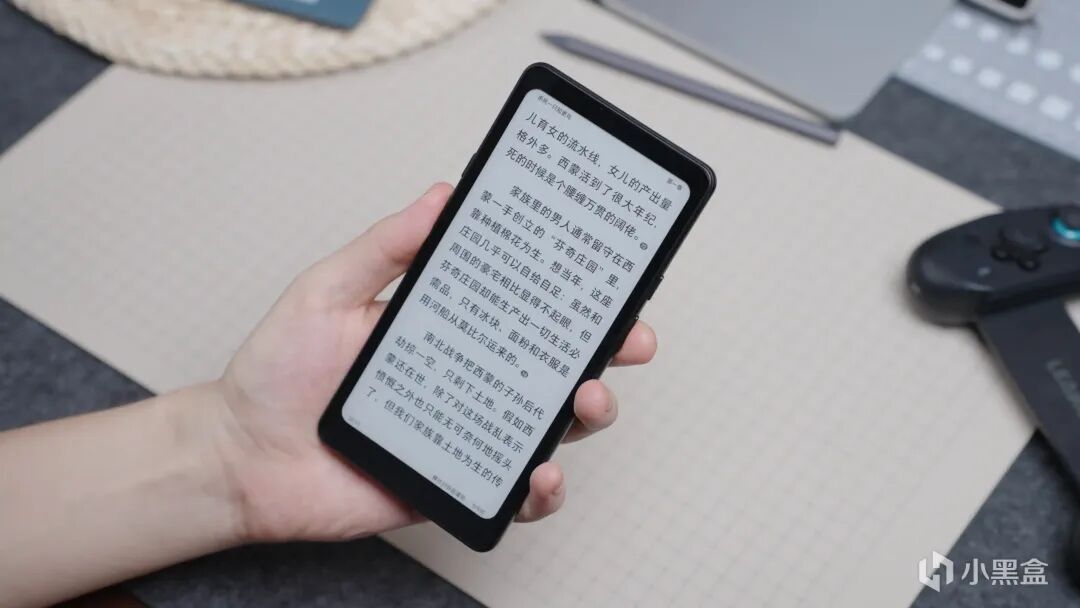
主打就是便携易用,是最适合平时带出门使用的了,特别是像我这样不习惯背包出门的,尺寸跟手机差不多,但是轻薄很多很多、适合外出时的碎片化阅读。
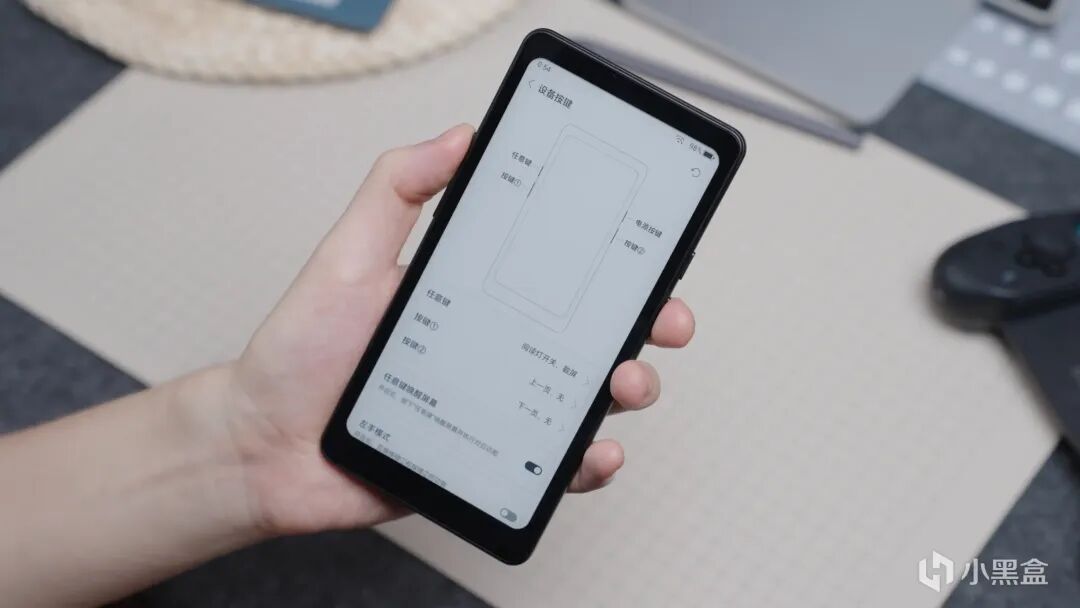
机身两侧设计了对称的实体按键,大拇指和中指刚好能对应上下翻页,符合人体工学设计。三个按键都支持自定义设置,
我个人习惯把左上角的按键设为背光开关,需要调节亮度时,一键就能操作,十分便捷。
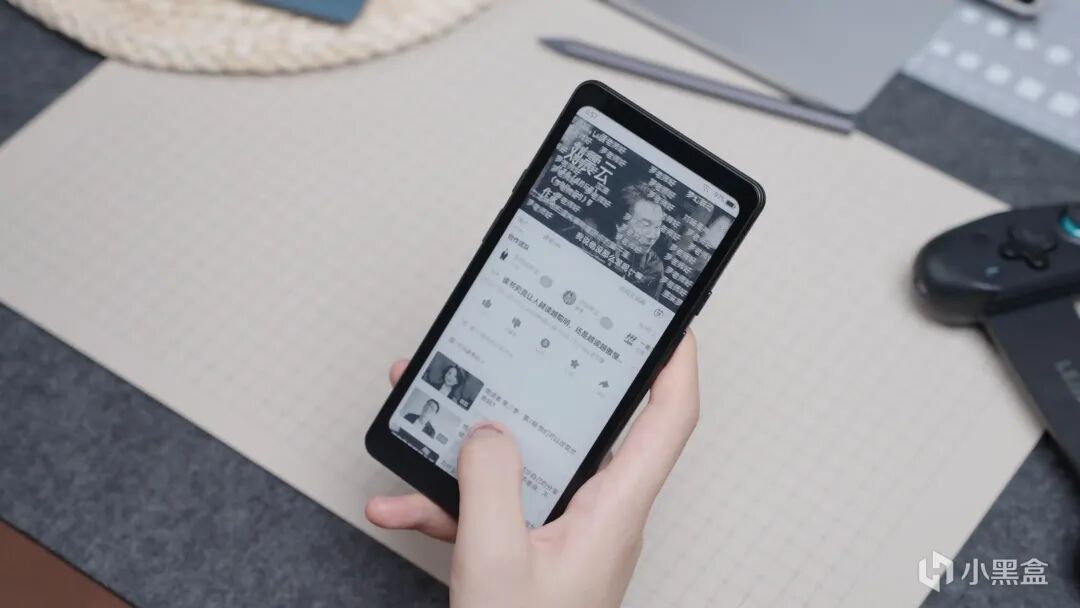
还支持掌阅最新的超刷技术,达到了50帧,动态画面过渡顺滑,墨水屏常见的刷新闪烁、拖影问题,几乎可以忽略不计。而且还支持移动网络,加上可以自由安卓APP,随时随地都能同步阅读最新书籍、浏览资讯,正常社交,一点也不影响~
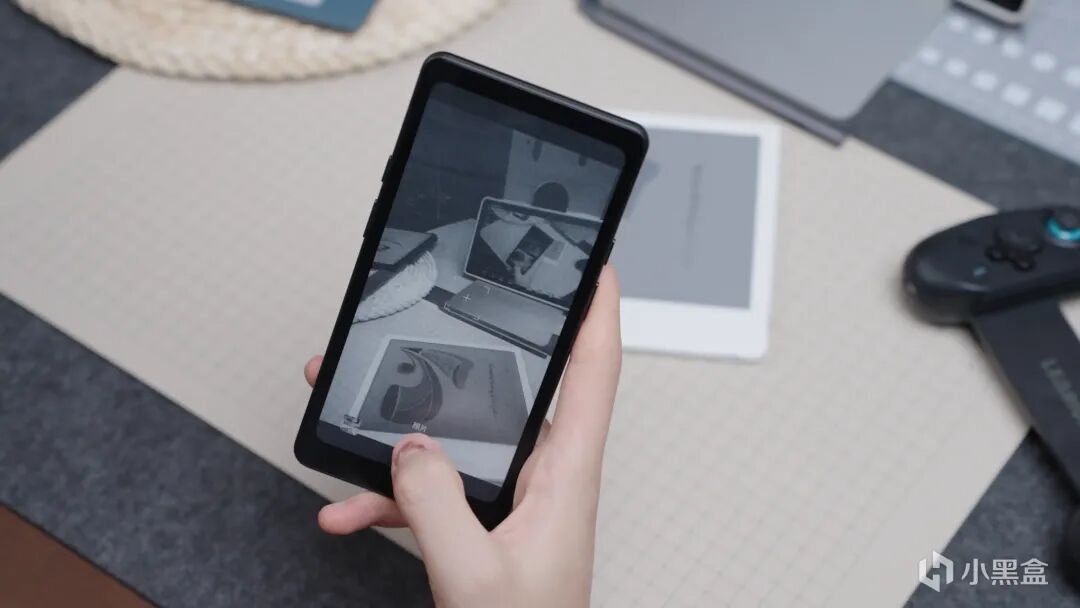
还搭载了一颗800W像素摄像头,平时扫个二维码、拍摄文件,清晰度完全能满足日常需求,不用再额外拿出手机,实用性拉满。
续航表现也十分亮眼,连续阅读时长可达101小时,彻底摆脱频繁充电的烦恼,一周一充完全没问题。
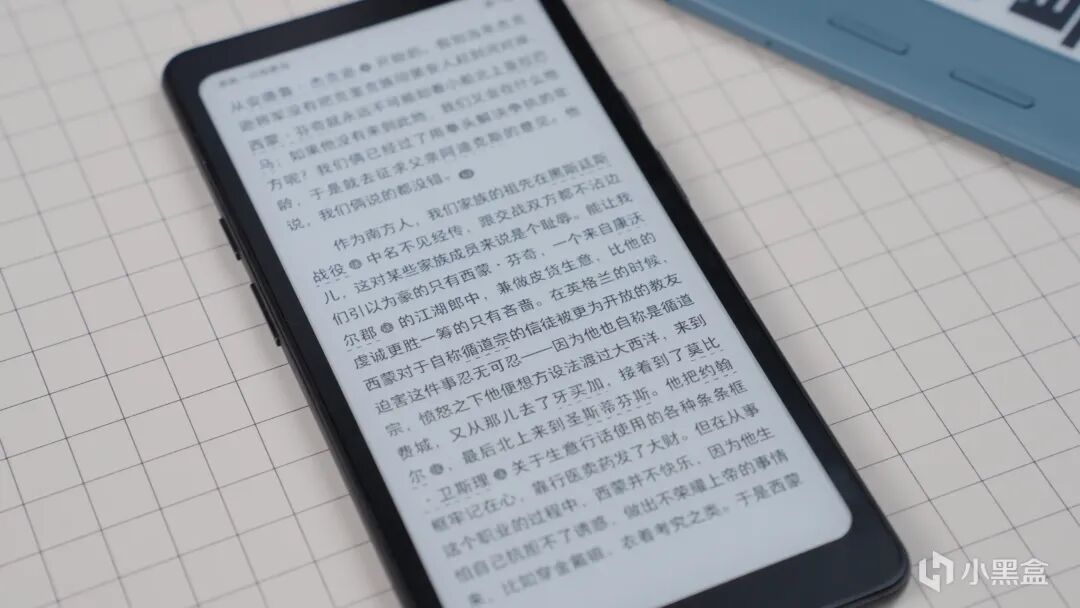
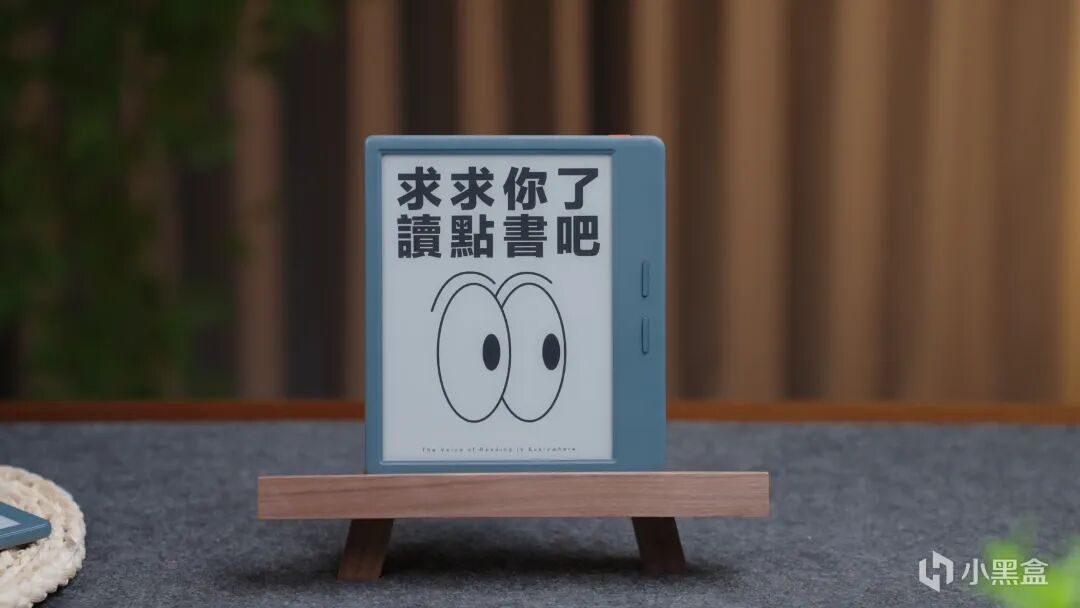
第三款,掌阅ocean5pro
是我个人比较喜欢的一款,主要是右侧加宽的设计比较适合这种宽屏,独立的翻页按键也很符合操作习惯,握持手感很舒服。
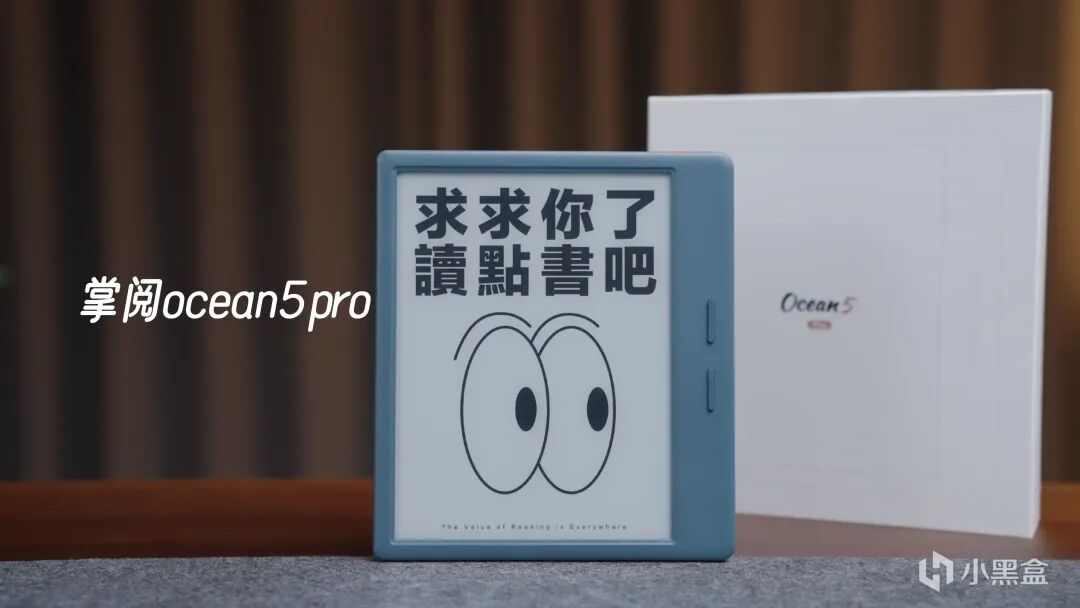
整机重量只有194克,长时间握持也不会觉得手部酸痛。开启屏幕旋转功能后,横屏状态下可以实现左手操作,左撇子朋友也能轻松使用,十分贴心。
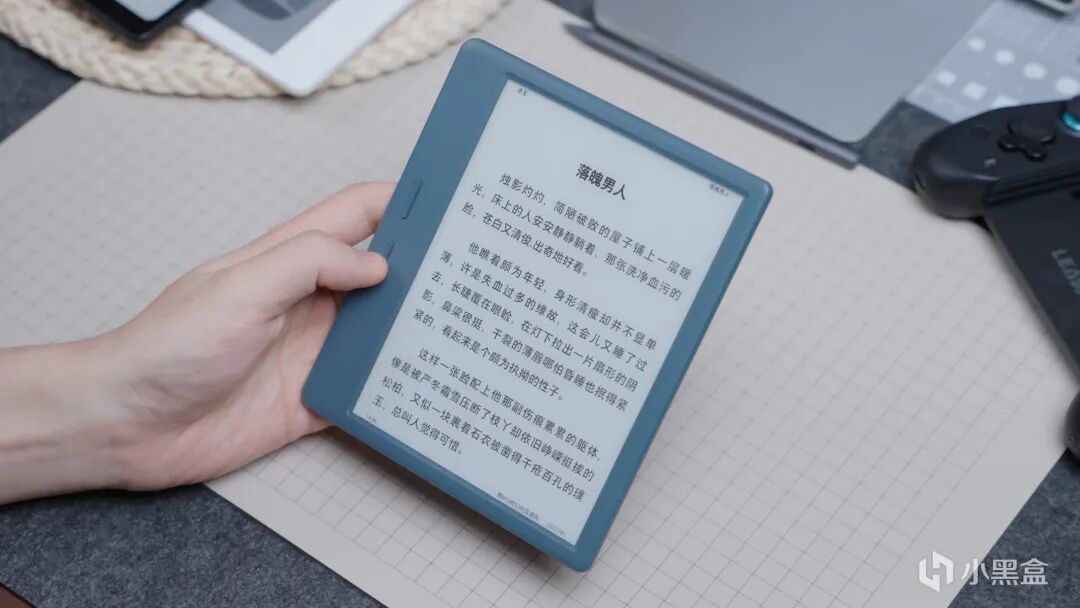
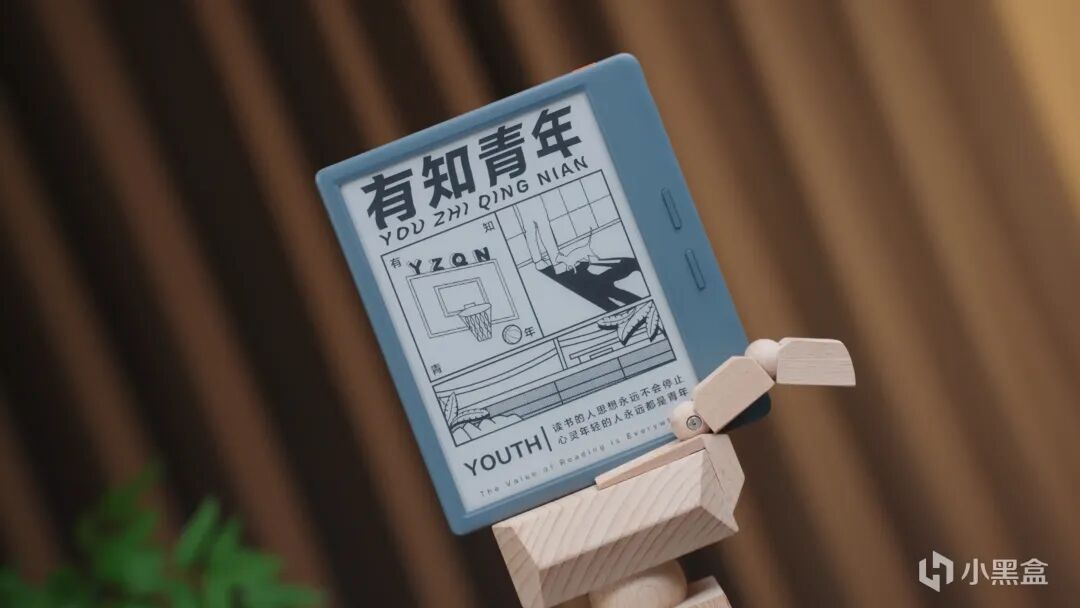
这块3:4比例的7寸屏幕,也是电子书比较适合的比例跟大小,比较符合真实书籍的尺寸,所以显示效果很接近真书,
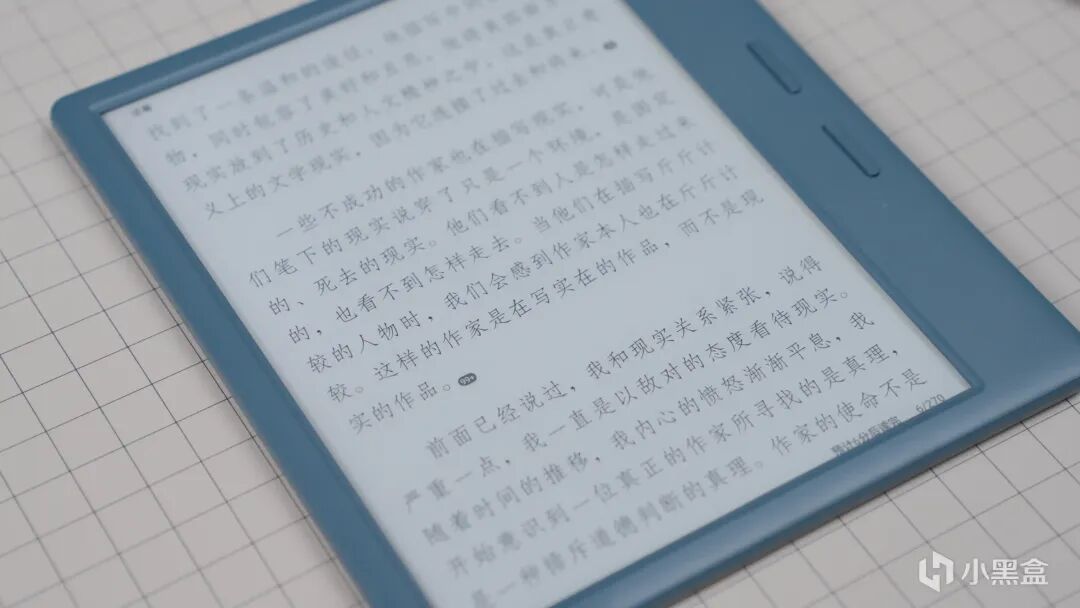
文字清晰锐利,图片对比度高,搭配掌阅的iClean瞬清技术和超刷,不会有刷新残影的问题,翻页流畅不卡顿。
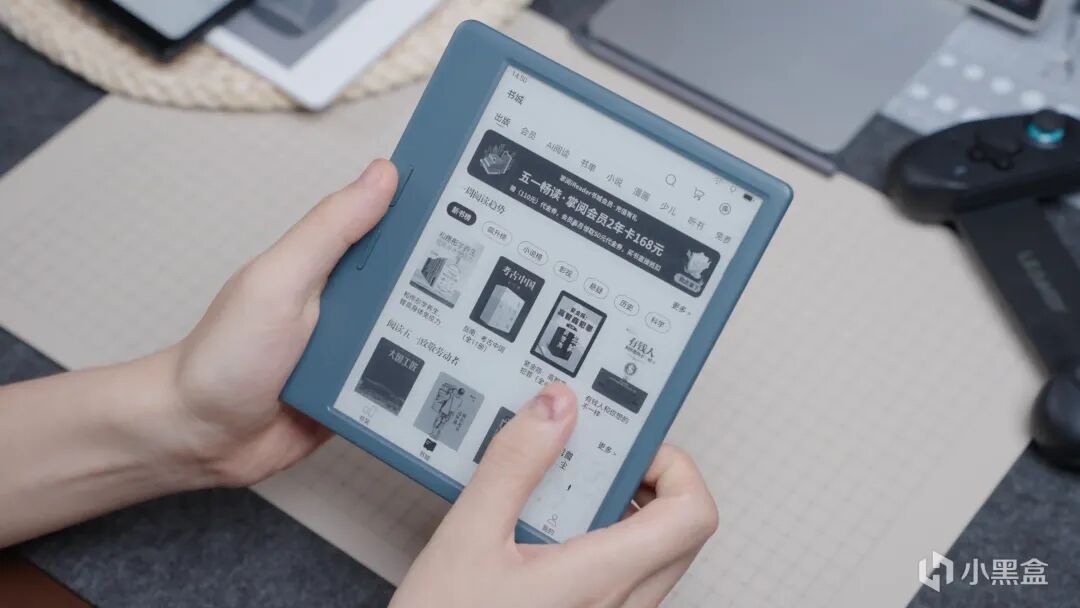
ocean5pro是一款能够兼顾便携和大屏体验、以及日常阅读和看漫画都合适的墨水屏,
第四款,掌阅ocean5C
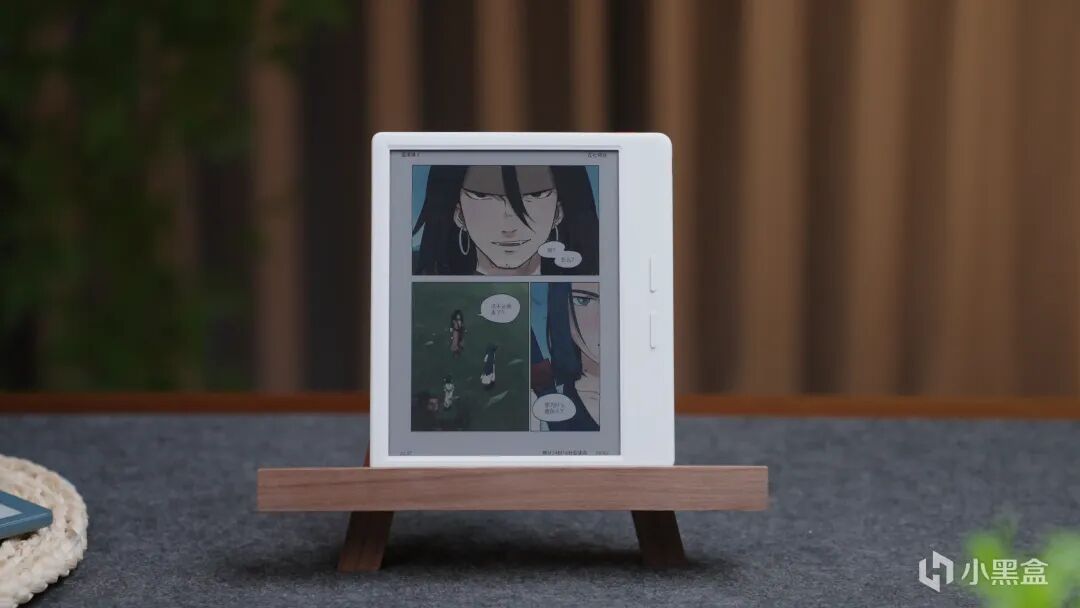
对比5Pro,更适合有漫画,以及彩色画面跟手写需求的朋友
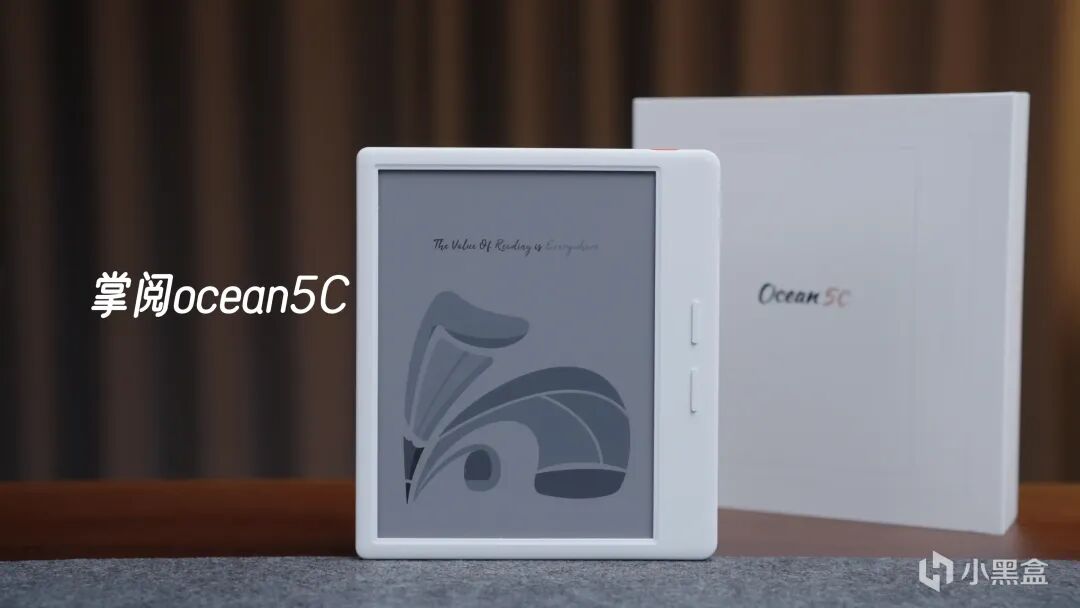
外观跟5pro是一模一样的,7寸的宽屏,右侧加宽,独立的两个翻页键,整机重量也只有198克,长时间握持也不会觉得手部酸痛。
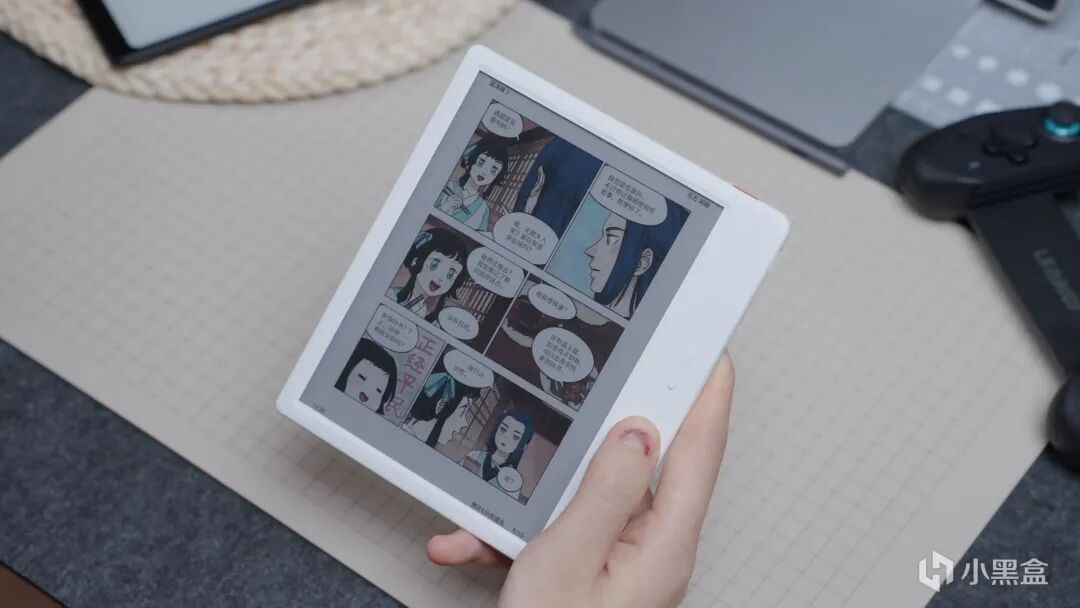
由于支持彩色显示,所以看漫画或者绘本以及彩色的书籍时,体验会更一些,而且还支持手写笔,可以批注,手写文档,绘画做笔记等等。
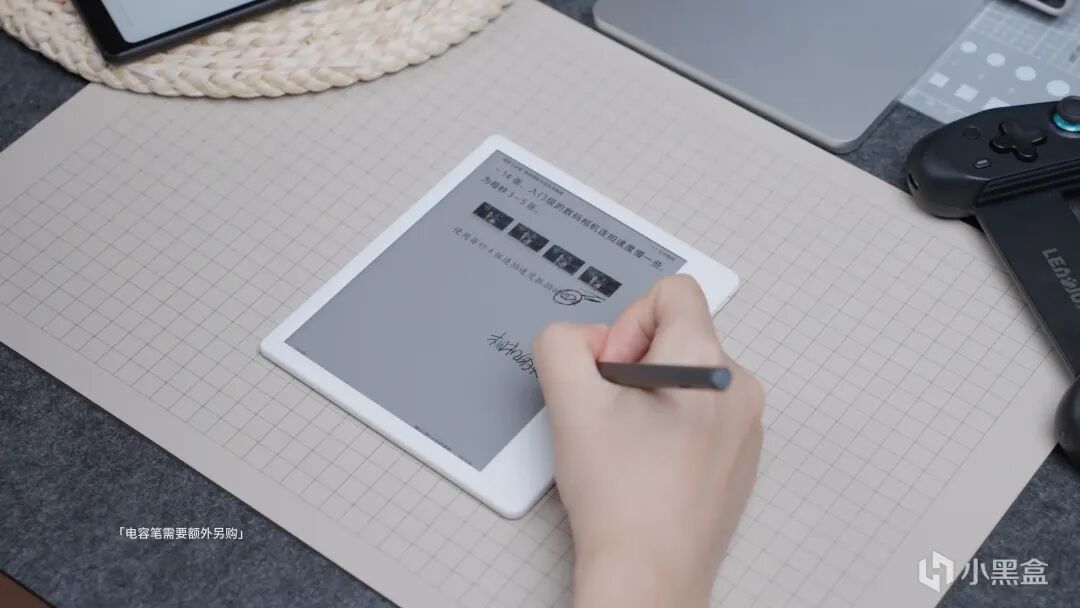
搭配电容笔的体验真的是很不错,笔触在屏幕上的沙沙声以及手感都跟真书类似,支持4096级压感,可以模拟真实的笔触效果。
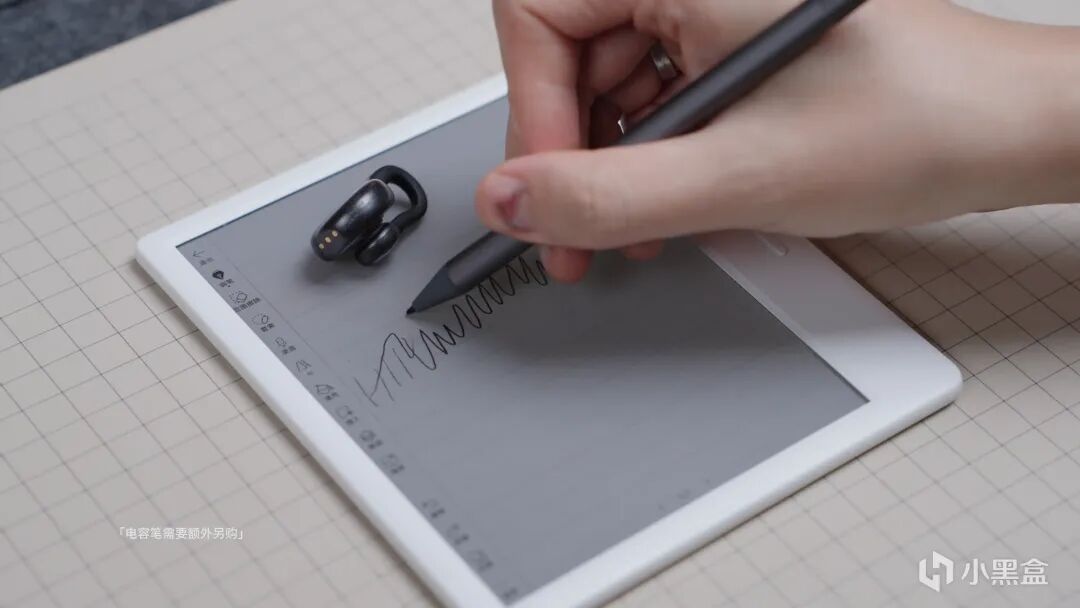
但是彩色模式下的分辨率不如黑白,所以文字的清晰锐利程度会差一些,但是也可以在有需要的时候切换黑白模式。
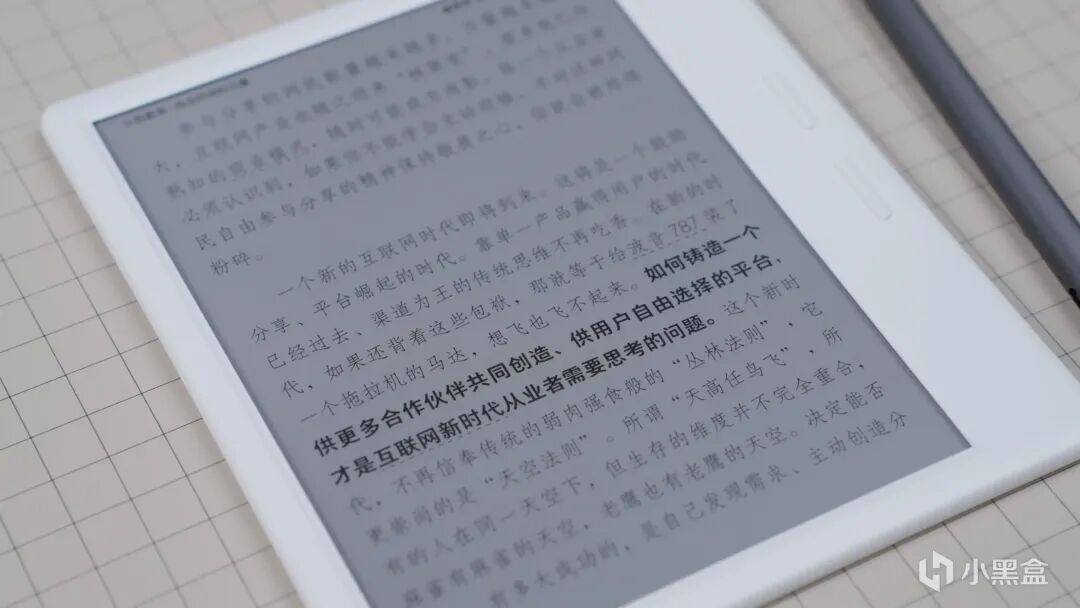
要彩色、要手写笔记推荐5C;只看书、追求极致阅读质感推荐选 5Pro。
第五款,掌阅smart6Cpro
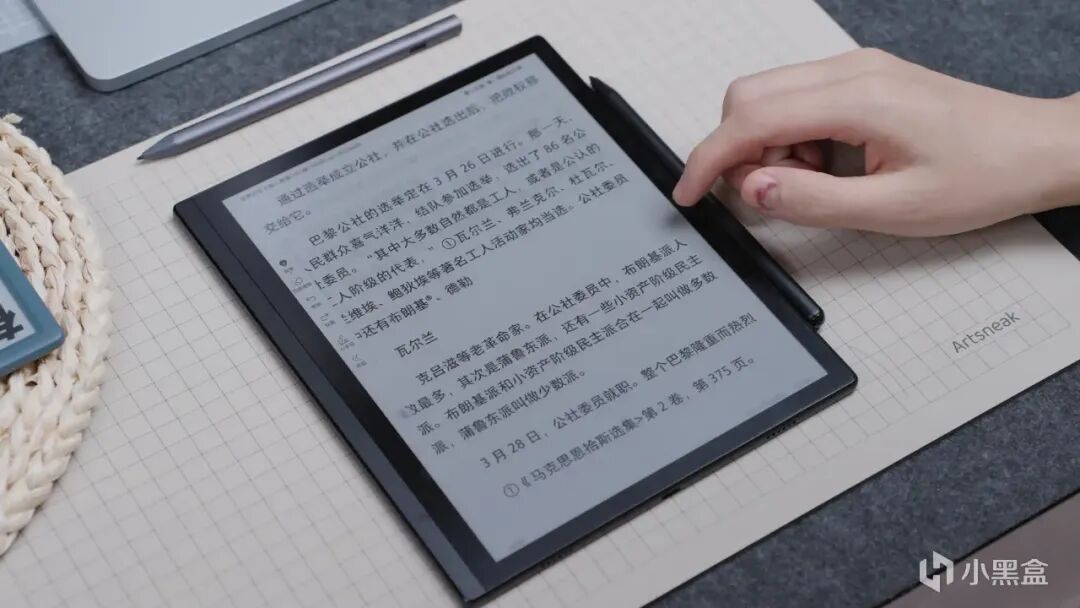
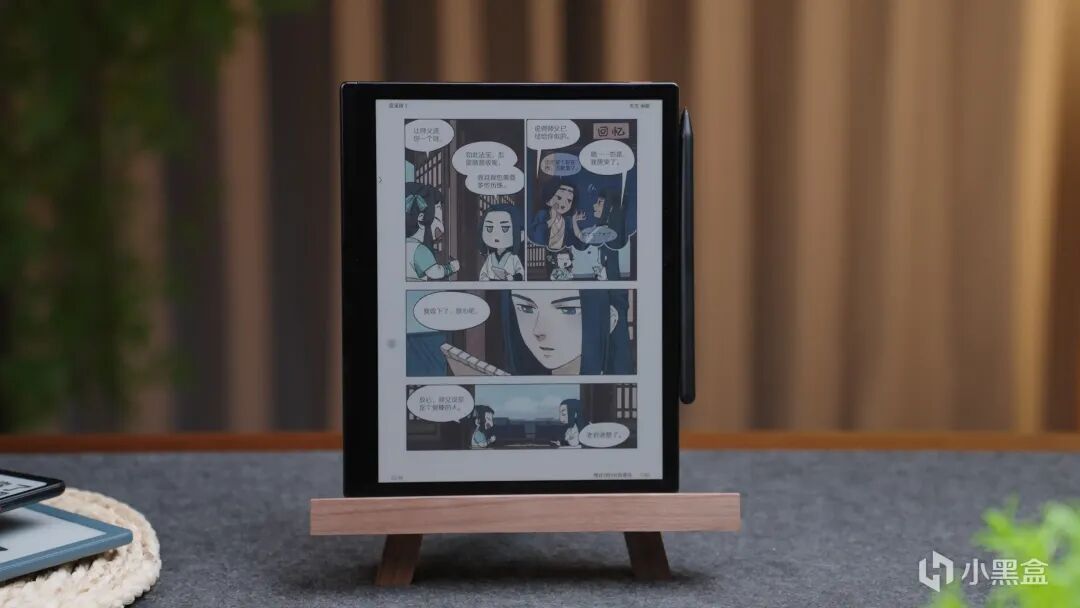
来到这个价位可以算是旗舰级别了,定位智能办公本,还搭载了彩色墨水屏,不止可以满足阅读需求,用来办公也是没问题的,
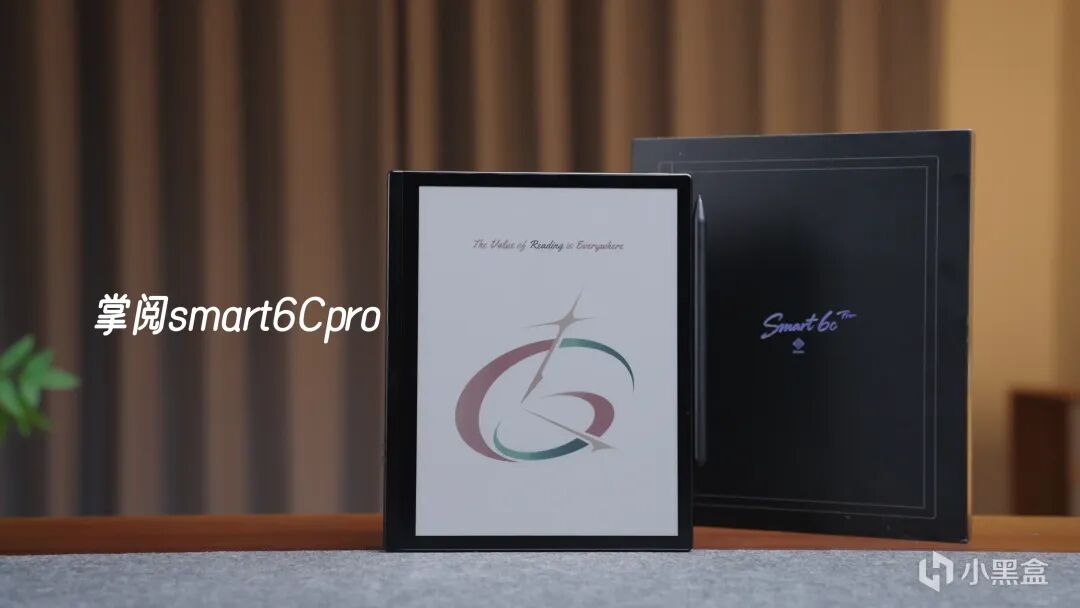
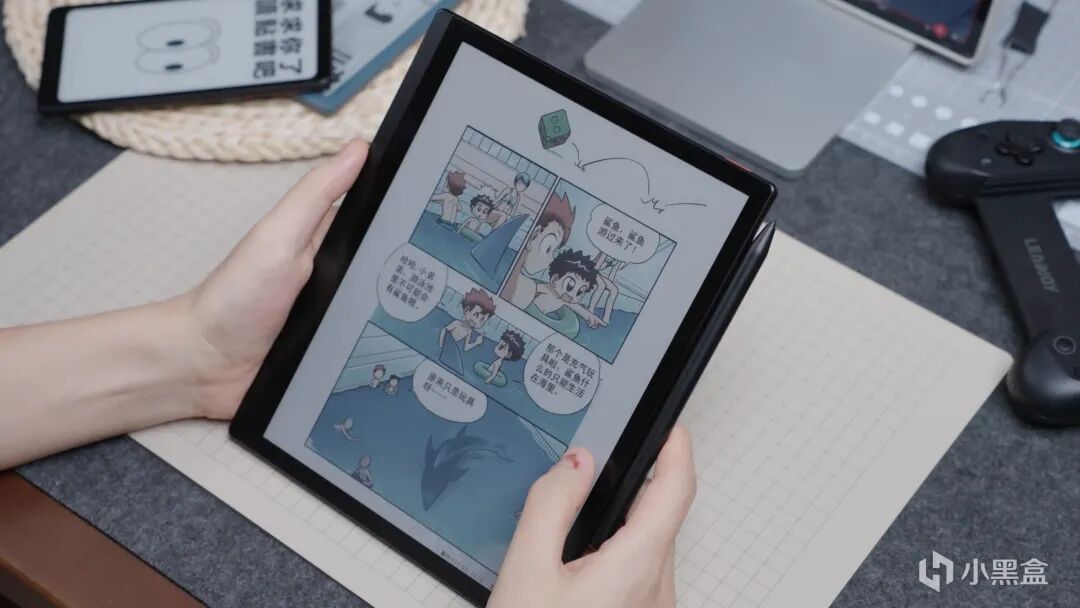
这块10.3英寸的彩色大屏带来的观感是真的很舒服,特别是用来看漫画,看图片的时候,色彩自然柔和,不是普通的led屏幕能比的,
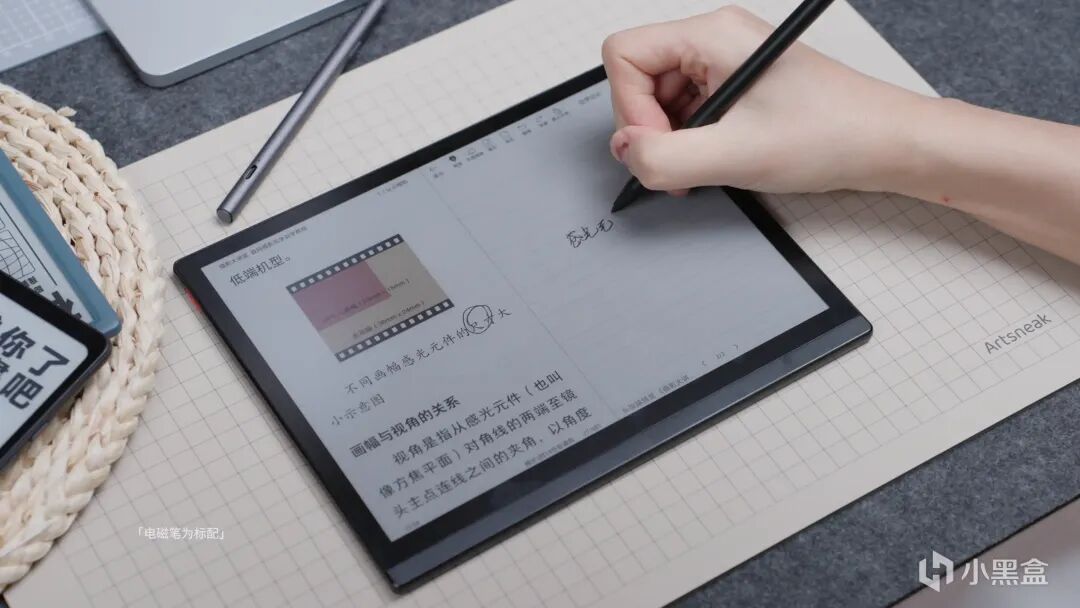
还支持分屏操作,加上电磁笔,可以一边学习,一边做笔记,还能再文档上书写标注,也能直接将手写内容转换成文字,使用起来超方便!
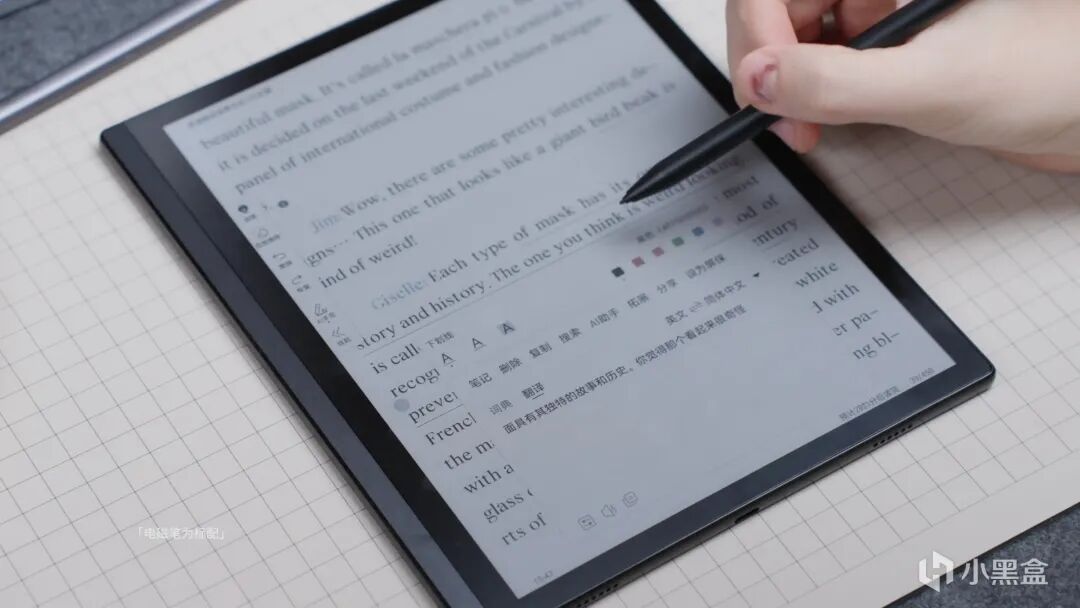
还支持圈选内容识别,不懂的直接就能询问Ai,比如遇到不会的单词,一键就能翻译,不用担心看不懂,还要单独去搜索查找了。
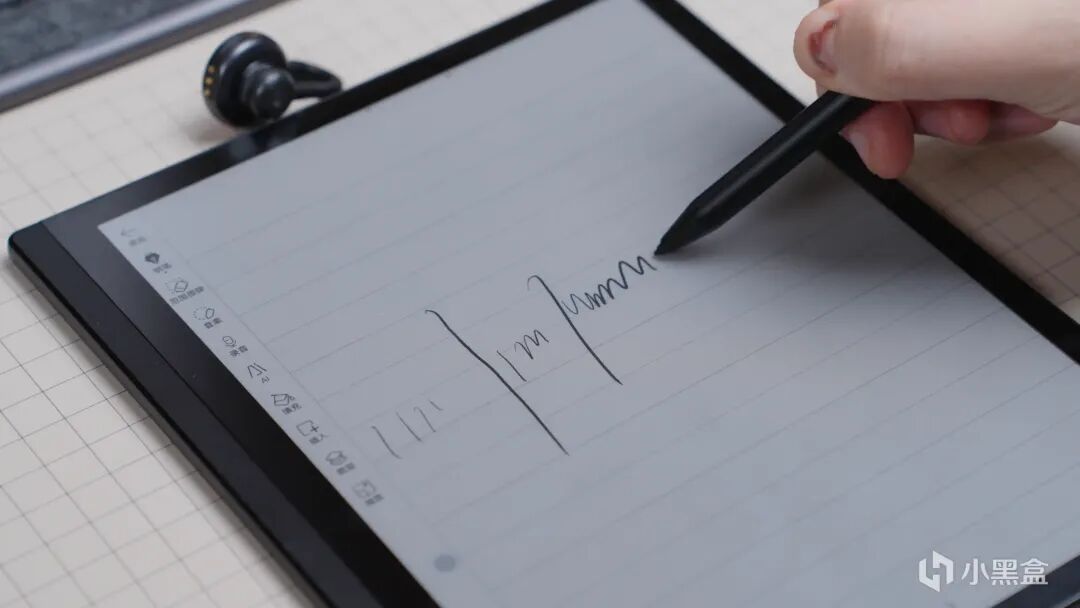
自带的这根笔支持4096级的压感,使用起来跟用真实的笔差不多,不同压力下会有不同的笔触效果,反过来尾端还能当橡皮擦用,而且延迟还很低,基本上比较到哪儿,笔触就到哪儿,配合墨水屏的特性,写起来的沙沙声像是在真实纸张上书写一样,体验感拉满了。
还支持PDF智能重排,OCR识别,可以扫描文档,书籍,自动优化排版提升阅读体验~
整体使用感觉比较全面,能满足阅读,办公,学习多重需求。
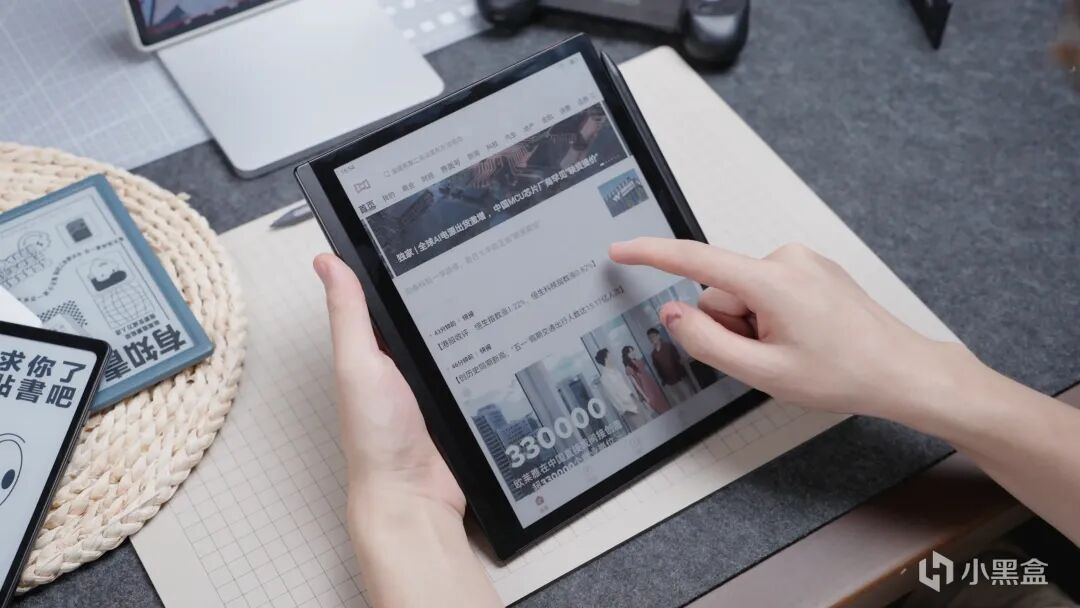
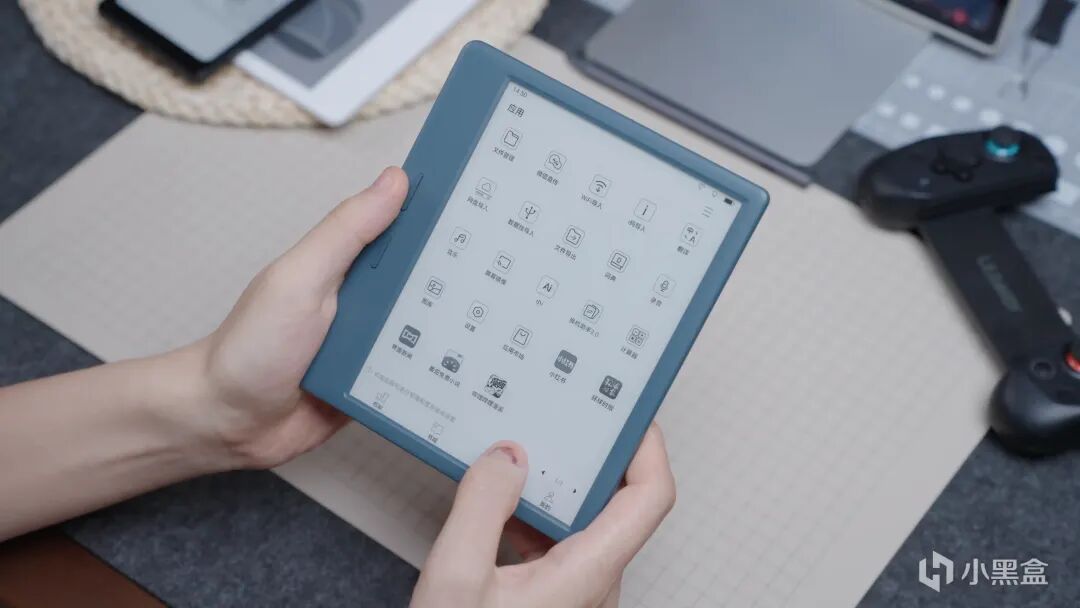
这五款产品用的都是掌阅的自研系统,操作流畅不卡顿,书城资源丰富,而且生态开放,类似于安卓系统一样的操作逻辑,上手也很容易,还能下载三方APP,由于墨水屏的物理特性,所以续航都是很持久的,主要的差异点在于屏幕大小,外观设计,以及功能性方面。
总结一下就是:
·预算有限、初次入门墨水屏,仅需满足基础看书需求,直接选Neo3 Ultra,平价耐用、实用性强,性价比直接拉满;属于业内6寸墨水屏阅读器的顶配了
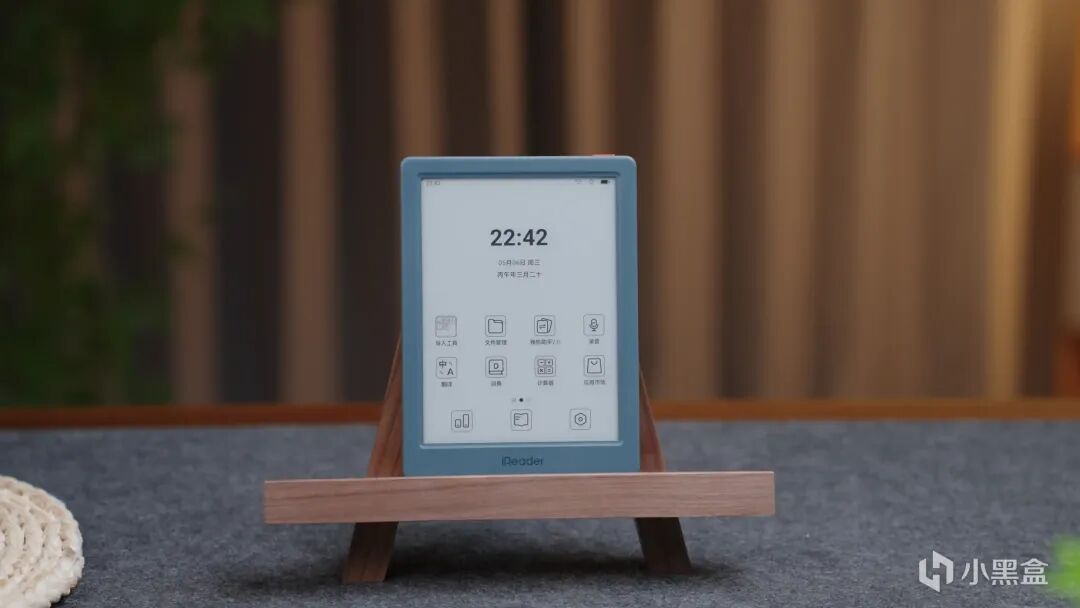
日常通勤出差居多,追求极致便携,习惯碎片化阅读,选Tango2 Pro,机身轻薄小巧、单手轻松握持,随身携带毫无压力;
偏爱大屏阅读、高频看漫画,需要兼顾便携与视野,选Ocean 5 Pro,综合体验均衡,大屏观感出色,日常阅读足够好用;
常看彩色漫画、绘本、彩色教材,需要手写批注、随手记笔记,选Ocean 5 C,彩屏加持 + 手写适配,娱乐学习两不误;
追求顶配旗舰体验,有重度手写、深度办公、以及彩色显示刚需的,直接入手Smart6C pro,满配硬件加持,学习创作、办公效率全面拉满。
根据自己的实际需求·预算·以及使用场景选择适合自己的就可以了,本质上核心都是那块墨水屏,不用盲目追求高端,这五款从入门到旗舰相信总有一款是适合你的,刚好临近大促,不管是自己用还是买来送礼都很合适了,比起送一些吃的喝的不如送一个能够增加生活质感和提升自己的墨水屏电子书~
I wonder if anyone else is like me: I buy physical books at home but basically never read them, yet I open the reading app on my phone almost every day. Since that's the case, why not choose an e-reader instead? It's gentler on the eyes than a phone and more convenient than physical books.
【BV1U9dgBHEya】 Copy the BV number in parentheses to open it on Bilibili, or search 小杰加电 to watch the video version—it's more intuitive! Thanks for your support!
But choosing one is indeed quite difficult, so I went and got five iReader e-ink products, covering a full range of prices and form factors. Whether you're a complete beginner or a seasoned user, there's one that fits your needs.
The first one to appear is the iReader Neo3ultra.
It's positioned as an entry-level, budget-friendly option, tailor-made for newcomers on a limited budget who are trying e-ink screens for the first time.
It has a 6-inch screen, a body width of 10.8 cm, and weighs 147 g, putting it in the lighter and thinner category. The overall build quality is good, and it feels comfortable to hold.
The screen uses Carta 1300 recessed-screen technology with 300 ppi resolution, making text display fairly detailed with crisp, non-blurry edges. It's well suited for long reading sessions. With its small size and light weight, it takes up no space in a bag when you go out, making it very portable.
What I like more is its audiobook mode. All five products in this round come with built-in speakers. iReader's audiobook voices have always been excellent—they feel very lifelike and deliver appropriate, natural tone and emotion. It's a great experience to listen to books while working, doing chores, or before sleeping!
The system is smooth and lag-free. Font size and screen brightness can be freely adjusted to your habits, and it easily handles all everyday reading needs. Battery life is another common advantage of e-ink screens: with a 2,000 mAh battery, it can provide over 50 hours of continuous reading, and a single charge lasts several days with normal use.
At this price point, such configuration and experience rank near the top.
The second one is the iReader tango2pro.
It focuses on portability and ease of use, making it the best choice for taking out with you. Especially for someone like me who isn't used to carrying a bag out, it's about the same size as a phone but much, much thinner and lighter—perfect for fragmented reading on the go.
Symmetrical physical buttons are placed on both sides of the body, so your thumb and middle finger naturally align with page up/down, following ergonomic design. All three buttons support custom settings.
Personally, I set the upper-left button as the backlight switch, so when I need to adjust brightness, one press does it—very convenient.
It also supports iReader's latest super-refresh technology, reaching 50 fps, making dynamic transitions smooth. The refresh flicker and ghosting common to e-ink screens are almost negligible. It also supports cellular networks and can freely install Android apps, so you can sync and read the latest books, browse news, and do normal social networking anytime, anywhere—without any impact.
It also has an 8-megapixel camera, so scanning QR codes and photographing documents in daily life are sharp enough for everyday needs. You don't have to take out your phone separately—practicality maxed out.
Battery life is also impressive, with up to 101 hours of continuous reading. It completely frees you from frequent charging, and one charge a week is totally fine.
The third one is the iReader ocean5pro.
This is one I personally like quite a bit. The wider right-side design suits this widescreen format well, the independent page-turn buttons match my operation habits, and it feels very comfortable to hold.
The whole device weighs just 194 g, so your hand won't feel sore even after long holding. With the screen rotation feature enabled, it can be used left-handed in landscape mode, so left-handed friends can use it easily—very thoughtful.
This 7-inch screen with a 3:4 aspect ratio is a suitable proportion and size for e-books, quite close to the dimensions of a real book, so the display looks very similar to a real book.
Text is clear and sharp, and images have high contrast. Combined with iReader's iClean instant-clear technology and super refresh, there's no refresh ghosting, and page turns are smooth and lag-free.
The ocean5pro is an e-ink reader that balances portability and a large-screen experience, and is suitable for both everyday reading and reading comics.
The fourth one is the iReader ocean5C.
Compared with the 5 Pro, it's more suitable for friends who need comics, color images, and handwriting capabilities.
Its appearance is identical to the 5 Pro: a 7-inch widescreen, wider right side, two independent page-turn buttons, and a total weight of just 198 g. You won't feel soreness in your hand after holding it for a long time.
Because it supports color display, the experience is even better when reading comics, picture books, or color books. It also supports a stylus, so you can annotate, handwrite documents, draw, and take notes.
The experience with the capacitive stylus is really good. The rustling sound and feel of the pen tip on the screen are similar to a real book. It supports 4096 levels of pressure sensitivity, simulating real brushstroke effects.
However, the resolution in color mode is not as high as in black-and-white mode, so text sharpness is somewhat lower. But you can switch to black-and-white mode when needed.
If you want color and handwriting notes, go with the 5C; if you only read books and seek the ultimate reading texture, choose the 5 Pro.
The fifth one is the iReader smart6Cpro.
At this price point, it's flagship-level. Positioned as a smart office notepad, it also features a color e-ink screen. It not only meets reading needs but also works fine for office use.
This 10.3-inch color large screen delivers a really comfortable viewing experience, especially for comics and images—the colors are natural and soft, something ordinary LED screens can't match.
It also supports split-screen operation. With the electromagnetic pen, you can study and take notes at the same time, write annotations on documents, and even convert handwritten content into text directly—super convenient to use!
It also supports circled-selection content recognition. If you don't understand something, you can ask the AI directly. For example, when you encounter an unfamiliar word, one tap translates it, so you don't have to worry about not understanding or needing to search separately.
The included pen supports 4096 levels of pressure sensitivity, so it feels about the same as using a real pen. Different pressure produces different stroke effects, and the tail end can be used as an eraser. Latency is also very low—the stroke basically follows wherever the pen goes. Combined with the e-ink screen's characteristics, the rustling sound while writing feels like writing on real paper—the experience is maxed out.
It also supports intelligent PDF reflow and OCR recognition. It can scan documents and books, automatically optimizing layout to improve the reading experience~
Overall, it feels quite comprehensive and can meet multiple needs in reading, office work, and study.
All five products use iReader's self-developed system, which is smooth and lag-free, with rich bookstore resources and an open ecosystem. The operation logic is similar to Android, making it easy to get started. You can also download third-party apps. Thanks to the physical characteristics of e-ink screens, battery life is very long-lasting. The main differences lie in screen size, design, and functionality.
To sum up:
· If your budget is limited and you're new to e-ink screens, and you only need basic reading functions, go with the Neo3 Ultra. It's affordable and durable with strong practicality, and its value for money is maxed out; it's the top config among 6-inch e-ink readers in the industry.
· If you commute or travel frequently, want ultimate portability, and are used to fragmented reading, choose the Tango2 Pro. Its body is thin, light, and compact, easy to hold in one hand, and effortless to carry around;
· If you prefer large-screen reading and read comics frequently, and need both portability and a wider view, choose the Ocean 5 Pro. It has a balanced overall experience, excellent large-screen visuals, and is good enough for daily reading;
· If you often read color comics, picture books, and color textbooks, and need handwriting annotations and quick note-taking, choose the Ocean 5C. With its color screen plus handwriting support, it serves both entertainment and study;
· If you're after a top flagship experience and have heavy handwriting, deep office work, and color display needs, go straight for the Smart6C Pro. With fully loaded hardware, it maxes out learning, creation, and office efficiency.
Just choose the one that suits you based on your actual needs, budget, and usage scenarios. At the core, they all use the same e-ink screen, so there's no need to blindly chase high-end models. From entry-level to flagship, I believe one of these five will fit you. Since the big sales season is approaching, it's a good time whether you buy for yourself or as a gift. Compared to giving food or drinks, giving an e-ink e-reader that adds quality to life and helps you improve yourself is better~
Original link: https://mp.weixin.qq.com/s/jslfIxsgWDnaD3YoCxypkQ