
上篇文章分享了我“捡垃圾”的翻车经历——因为贪图便宜,入手了一台二手Kobo Forma,结果到手却发现它没法正常使用。
根据卖家“需要连着电源才能用”的描述,我理所当然的认为是电池的问题,于是就下单了适配Kobo Forma的新电池。
然而,换上电池之后,机器依旧无法正常使用,必须长时间连接电脑才能开机使用。我甚至尝试了连着电脑充一个晚上,结果第二天直接就没法开机了。
实在没有办法,我只好将它挂在了咸鱼上,希望屏幕还能回点血。
期间,一位个人买家看中了它,想法和我当时一样,觉得“能连电脑用就是还能用”。但当时是机器已经不能开机了。我纠结了一会儿,还是把实情告诉了买家,以防后面出现纠纷。最后买家取消了订单。
转机出现在那天中午。一位新疆的老哥突然联系我,说他也曾看上了这台Kobo Forma,不过我先下单了,而且这台Forma至少已经转了三次手,每次都说电池有问题。之后,他给我支了个招:让我留意充电时主板上是否有异常发热的元件,说不定能修好。

当天下午,我就把这台Forma带到了实验室。用显微镜仔细检查主板,又用手反复感受充电时的温度变化,中间还问了问AI。一番折腾下来,主板似乎没什么问题。
我又用万用表测了电池的正负极电压,结果只有约2.5 V,这也太低了。既然机器充不了电,我就把电池卸了下来,在实验室找了一个给手电筒电池充电的5V/1A座子,直接给电池充电。
一个多小时后,电池电压升到了3.9 V。重新装回机器,长按开机键——屏幕闪了一下,能开机了,太棒了!
但是,问题到这还是没有解决。虽然Forma可以正常看书了,但还是无法通过充电接口充电,一插充电头就会死机。这个难题超出了我的能力范围,可能是主板故障,也可能是新电池与机器存在兼容性问题。
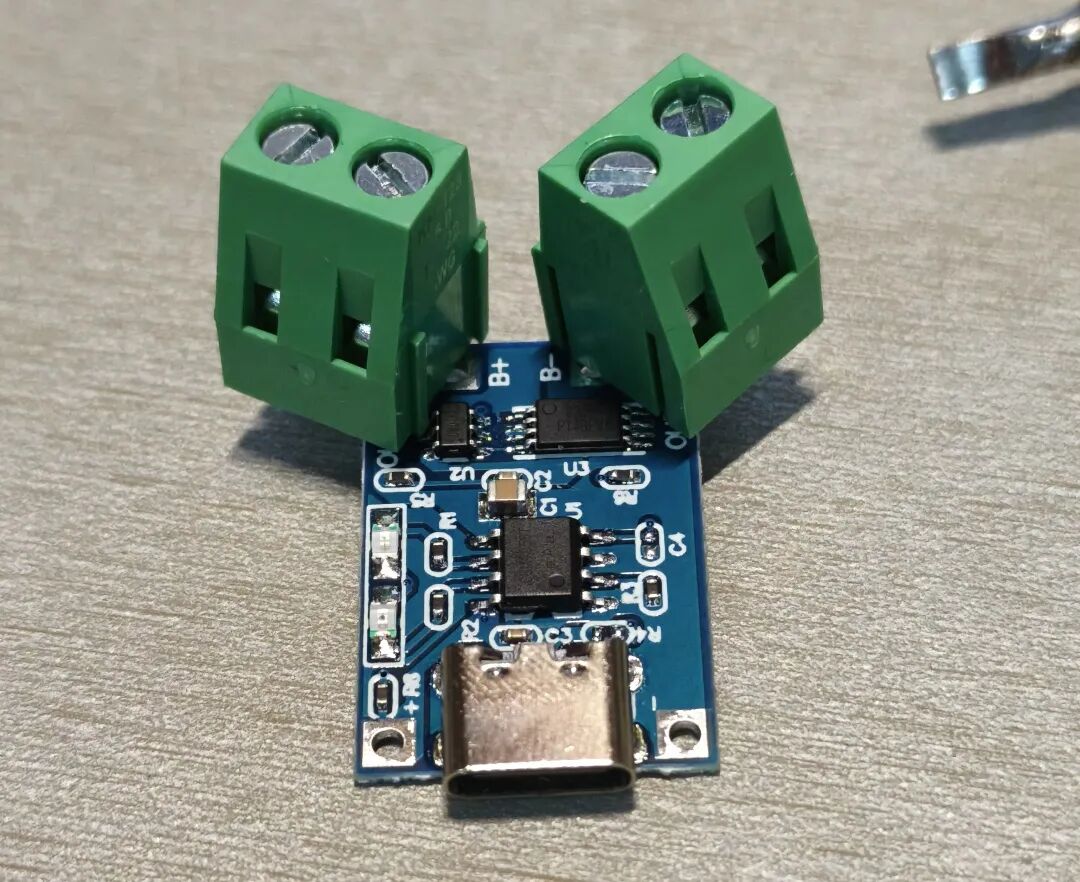
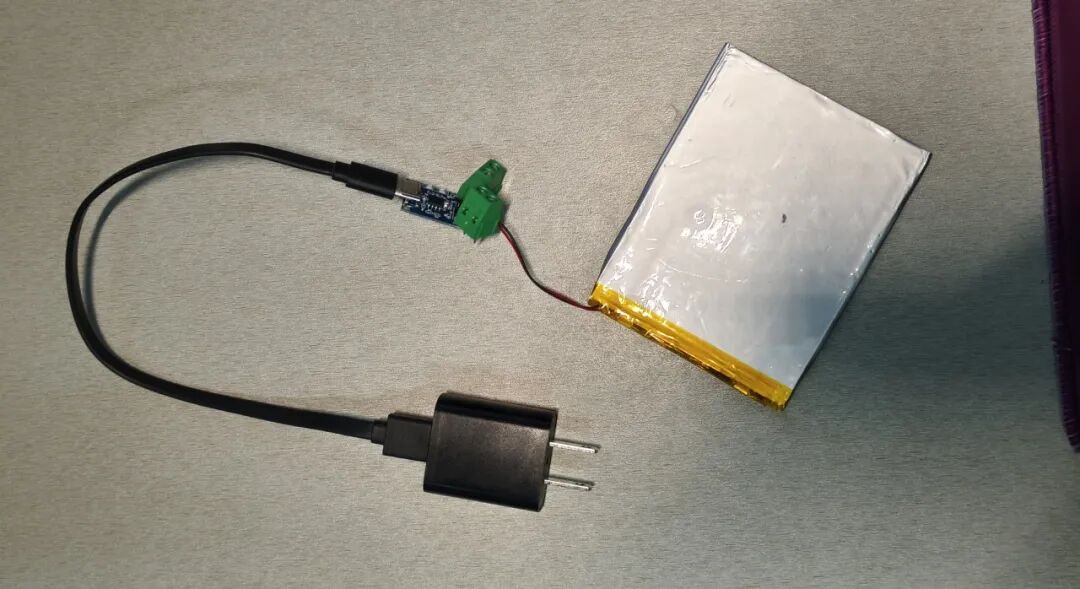
最后,我在网上花不到一块钱买了个 TP4056 充电模块。既然机器自身充不了电,那就绕过它,直接给电池充电!
今天趁着空闲的时候,我实验室给这个小模块焊上了两个接线端子,以后给电池充电就方便多了。
至此,这台历经坎坷的 Kobo Forma 终于算是被我盘活了。
经过这两天的体验,我的评价是:它确实值得这一番折腾。
首先是显示效果,墨色足够黑,字体锐利,也没有我那台Kobo Glo HD翻页后显示发虚的情况,图片显示也不错(漫画效果还没试)。
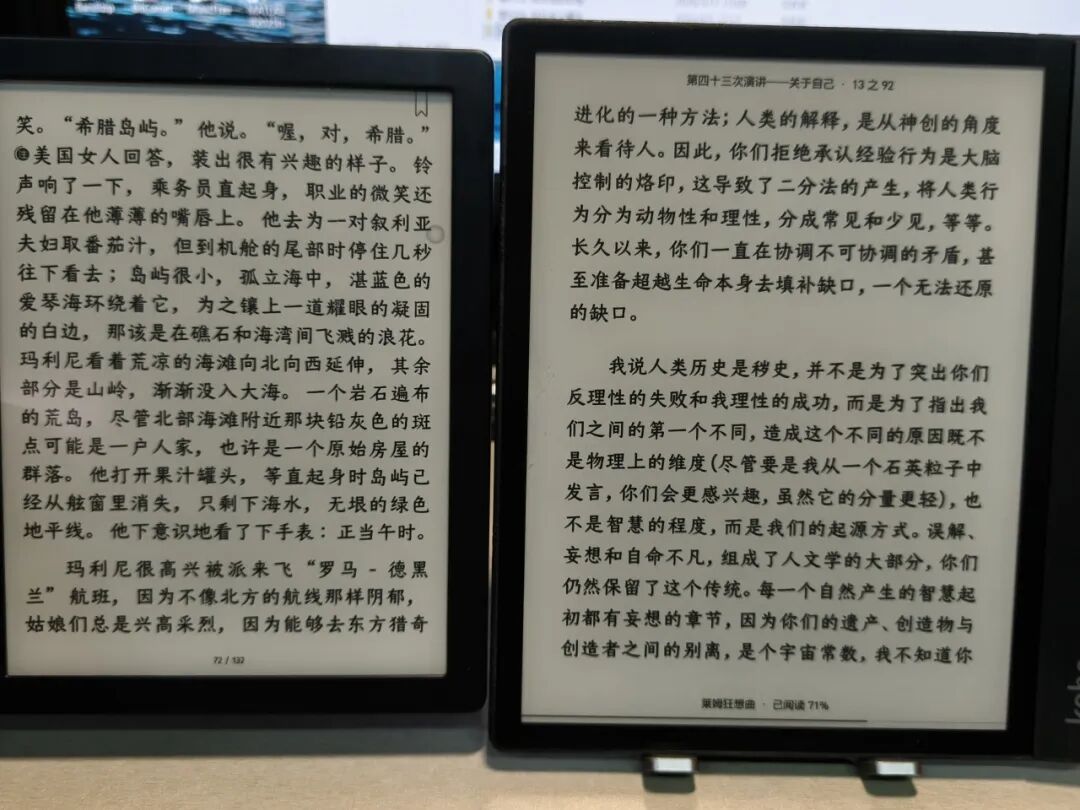
左边是Tolino VIsion 6,右边是Kobo Forma
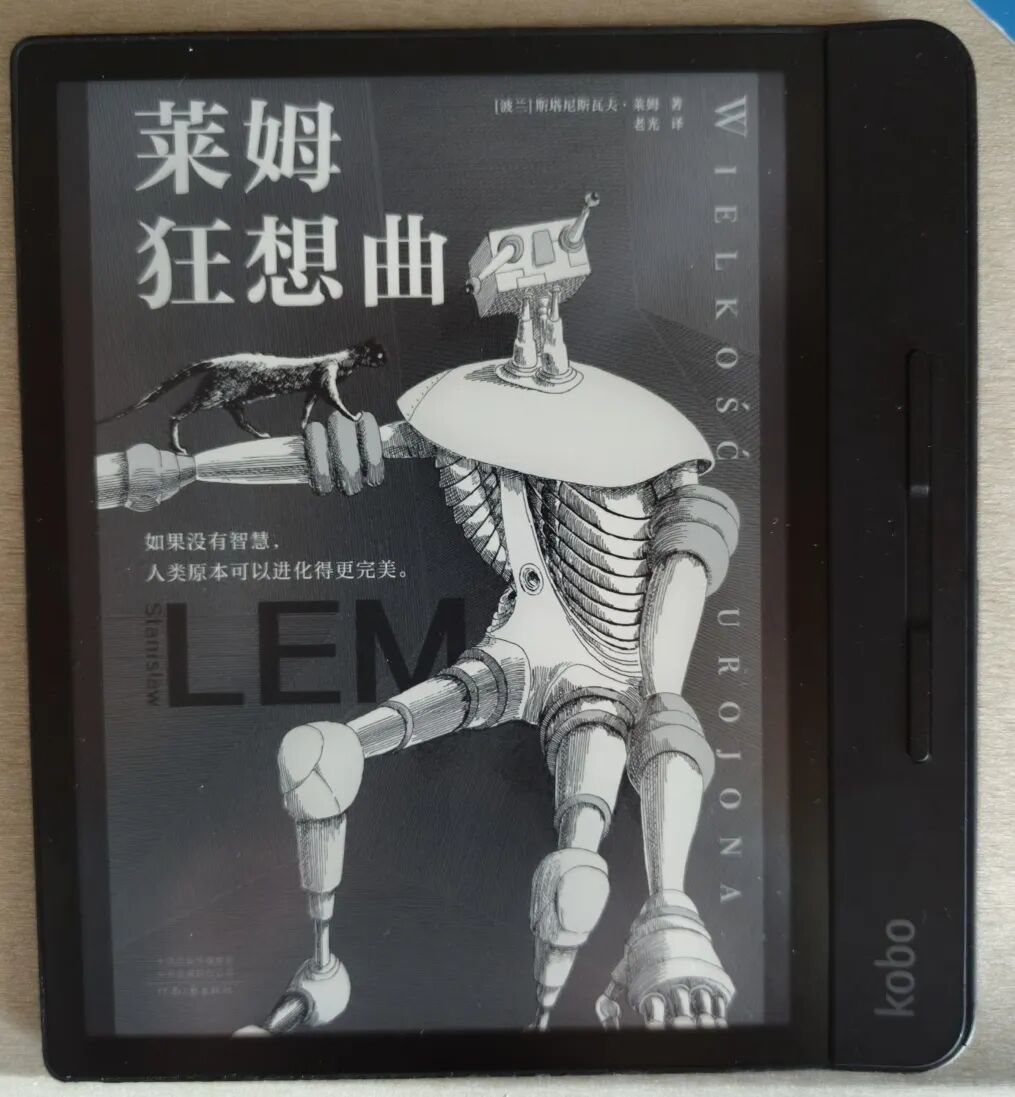
其次,机器的反应速度还可以,翻页流畅,属于墨水屏的中等水平吧。
最吸引我的,还是Kobo Forma的8寸大屏幕和轻便手感。整机的重量不到200克,配合斜面边框和实体翻页键,单手握持、翻页都很舒适。
唯一的遗憾是,Forma最好在白天使用。虽然它的背光很均匀,但奈何是PWM调光,晚上的护眼效果拉完了。
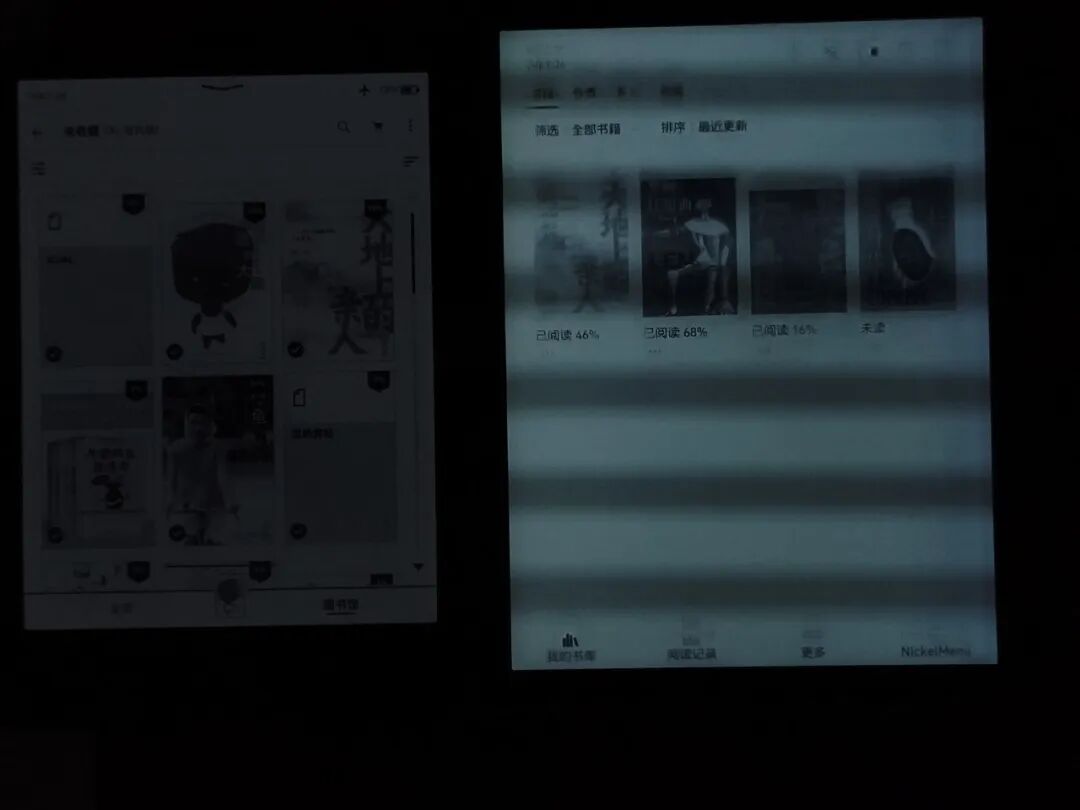
左边是KPW5,右边是Forma

写在最后
如果你也遇到了类似情况——机器不开机、换电池也没用,不妨试试直接给电池单独充电,因为新电池出厂时也可能电量耗尽。
如果机器有充电问题,可以尝试一下那位新疆老哥的方法:充电时摸摸主板,看是否有元件异常发热,或许就能找到问题所在。
最后提醒大家,“捡垃圾”虽爽,但务必先评估一下自己的动手能力和风险承受力,再决定是否下手,以免造成不必要的损失。
In my previous post, I shared my experience of failing to "scavenge" a bargain — I bought a used Kobo Forma, thinking it was a good deal, only to find that it didn't work properly.
Based on the seller's description that it "only works when connected to power," I assumed it was a battery issue and ordered a new battery for the Kobo Forma.
However, after replacing the battery, the device still couldn't be used normally; it required a long connection to the computer just to turn on. I even tried charging it through the computer overnight, but the next day it wouldn't turn on at all.
With no other options, I listed it for sale on Xianyu, hoping the screen might recover some value.
During this time, an individual buyer contacted me, sharing my initial thought that "if it works with the computer, it's usable." But by then, the device couldn't even turn on. After some hesitation, I told the buyer the truth to avoid future disputes, and the order was canceled.
The breakthrough came that afternoon. A buyer from Xinjiang reached out, saying he had also eyed this Kobo Forma but I purchased it first. He mentioned this Forma had been resold three times and each time was reported to have battery issues. He then gave me a tip: check for any abnormal heating components on the motherboard while charging; perhaps it could be repaired.
That afternoon, I took the Forma to the lab. I inspected the motherboard with a microscope and repeatedly checked for temperature changes while charging, even consulting AI. In the end, the motherboard seemed fine.
I then measured the battery voltage with a multimeter — only about 2.5 V — which is far too low. Since the device couldn’t charge itself, I removed the battery and used a 5 V/1 A charger in the lab to charge it separately.
After over an hour, the battery voltage reached 3.9 V. I reinstalled it, pressed the power button, and saw the screen flash on — it worked!
But the problem wasn’t fully solved: while the Forma could now read books normally, it still couldn’t charge via its own charging port. Plugging in the charger caused a crash. This is beyond my ability to fix — it might be a motherboard failure or compatibility issue with the new battery.
In the end, I bought a TP4056 charging module online for less than a yuan. Since the device can't charge itself, I'll use this module to charge the battery directly!
Today, I soldered two connectors to the module in the lab, making battery charging much easier.
Finally, this troubled Kobo Forma is back in working condition.
After two days of use, my verdict: the effort was worth it.
The display is excellent — deep blacks, sharp text, no blurriness after page turns like my Kobo Glo HD. Image quality is good too (though I haven't tested comics yet).
Left: Tolino VIsion 6, Right: Kobo Forma
The response speed is decent — smooth page turns, average for an e-ink device.
What I love most is the 8-inch screen and lightweight feel. The entire unit weighs less than 200 grams, with a beveled edge and physical page buttons that make one-handed reading comfortable.
The only downside: the Forma is best used during the day. While the backlight is uniform, it uses PWM dimming, which reduces eye comfort at night.
Left: KPW5, Right: Kobo Forma
Final thoughts:
If you encounter a similar situation — device won’t turn on, even with a new battery — try charging the battery separately, as new batteries may be shipped with low charge.
For charging issues, follow the Xinjiang buyer’s advice: check for hot spots on the motherboard while charging — you might find the root cause.
Lastly, remember: while scavenging is fun, assess your DIY skills and risk tolerance before purchasing. Unnecessary losses are avoidable.