很多人在选购墨水屏平板时都会陷入一个两难:屏幕看似差不多,品牌林立、功能各异,到底哪一款更适合自己?说实话,网上的推荐五花八门,光看参数容易眼花,亲身体验才知道差距有多大。我自己也摸过不少品牌,从办公到阅读,从彩色文档到护眼模式,每一次换机都总结了不少心得。今天就来把2026年最值得入手的9款墨水屏平板梳理给大家,闭眼参考也不踩雷。
其实,选择墨水屏平板也和挑书差不多:尺寸、重量、屏幕类型、系统流畅度、续航……每一项都直接影响使用感受。我身边不少朋友买了之后因为不符合自己的需求,天天抱怨“看着累”“操作慢”,所以这次文章会尽量结合真实使用体验来分析,每款产品的优缺点都写清楚。
另外,如果你偏好彩色阅读、还是主要办公文档、或者更看重续航和护眼,这篇文章都会帮你理清思路。下面我们就从9大品牌开始,一款款讲到位。
一、科大讯飞
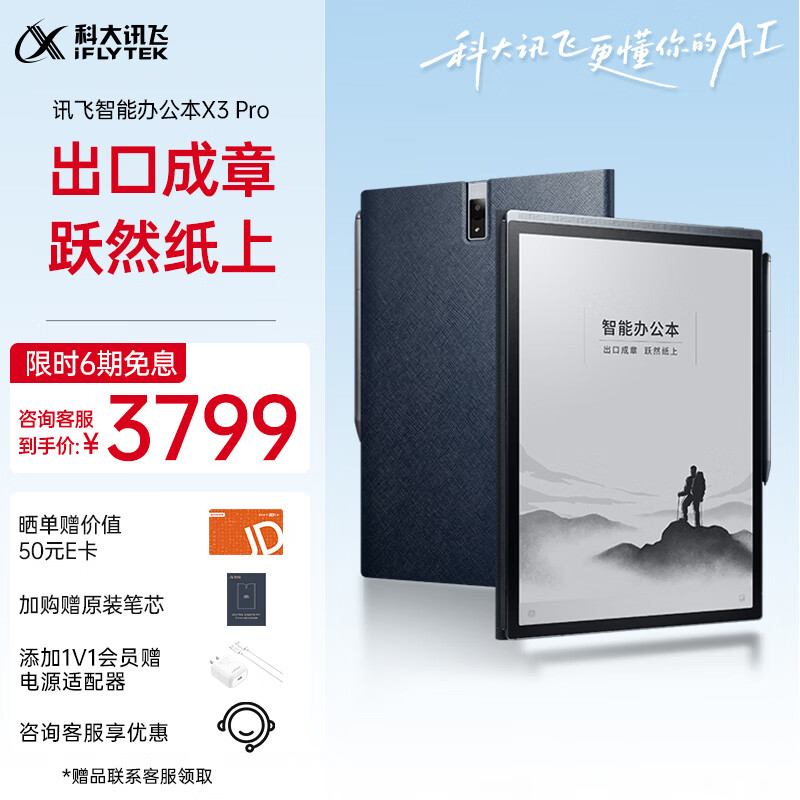
科大讯飞X3 Pro智能办公本定位偏向商务和学习办公场景,屏幕尺寸适中,墨水屏结合了电子笔输入功能,特别适合会议记录和做笔记。实际使用体验来看,手写笔延迟很低,几乎接近纸质笔的流畅度,对习惯手写的人来说是真香。
在系统上,它支持多任务分屏,文件管理和同步也很便利,尤其适合经常需要在平板上处理文档的用户。我测试过打开PDF和PPT文件,翻页速度快,界面响应灵敏,办公体验几乎没有延迟感。
从市场口碑来看,X3 Pro的用户回购率很高,不少用户反馈“屏幕护眼、续航给力、手写顺滑”,总体评价属于高满意度类别。
推荐No.1款:科大讯飞X3 Pro智能办公本墨水屏平板
1、书写体验:10.65英寸E Ink柔性墨水屏,300ppi高清显示,弹性纤维笔尖的Wacom磁吸电磁笔,4096级压感,仿佛用钢笔在纸上书写,自然流畅,还原真实书写体验。
2、智能语音识别:专业八麦克风阵列,12种方言识别,多人语音识别分角色,16大行业词库,离线转写,让会议记录更精准,工作更高效。
3、深度思考助手:星火大模型加持,新增会议整理功能,一键开启深度思考、逻辑推理、信息提纯,快速形成脉络清晰、重点分明的会议纪要,助你高效推进工作。
二、BOOX
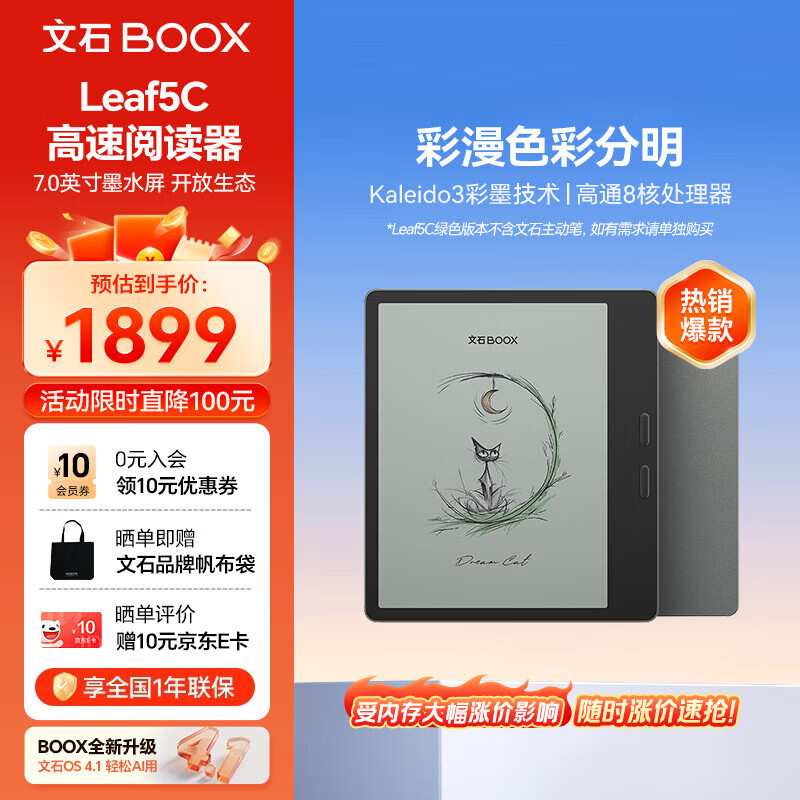
BOOX Leaf5C是一款7英寸彩色电子书墨水屏平板,主打轻便便携,特别适合喜欢随时随地阅读彩色漫画、杂志和教材的用户。7英寸屏幕放在手上感觉很轻,长时间阅读也不会手酸。
彩色墨水屏在日常使用中表现不错,色彩虽然没有平板LCD那么艳,但亮度均匀且护眼效果明显。它的系统优化得很好,翻页和笔记功能反应快,尤其适合学生或专业人士在通勤中进行快速阅读。
BOOX品牌在墨水屏市场的口碑一直稳固,这款Leaf5C延续了轻薄便携的设计理念,适合想要彩色阅读而又不想牺牲眼睛健康的人。
推荐No.2款:BOOX Leaf5C 7英寸彩色电子书墨水屏平板
1、高颜值设计,手感超棒:文石Leaf5C这款7英寸彩色电子书墨水屏平板,外观简直美爆了!采用原创人体工学设计,森林绿和活力金两种颜色,清新又时尚。而且手感超棒,不管是大手还是小手都能轻松握持。每个按键都经过精心打磨,大小适中,按起来舒服极了。
2、性能强劲,畅快阅读:搭载了高通8核处理器,综合跑分33万+,速度那叫一个快!不管是打开书籍还是切换应用,都流畅无比,绝对不会卡顿。4GB运存和64GB存储,轻松应对各种阅读需求,还能支持高达2TB的拓展存储,把你的图书馆都装进口袋。
3、智能体验,智慧阅读:内置双书城,提供百万级正版阅读书籍,还有京东读书/得到书城支持,30+格式阅读,专业优化,打开即读。支持多设备同步阅读,无论你在哪个设备上阅读,进度、笔记、批注都能同步,真是太方便了!
三、掌阅
掌阅Ocean 4C也是彩色电纸书,屏幕尺寸同样适合单手操作,用户体验上强调舒适阅读。比如在阅读漫画或者教材时,色彩分层清晰,长时间浏览不会产生视觉疲劳。
操作系统比较简洁,应用商店可选择内容较丰富,尤其适合喜欢看电子书和杂志的人。值得一提的是,掌阅在内容资源整合方面做得比较成熟,电子书的获取和管理都非常便利。
在用户群体反馈中,这款平板的稳定性和护眼效果是被多次提及的亮点,日常使用很少遇到卡顿或闪退问题。
推荐No.3款:掌阅Ocean 4C彩色电纸书墨水屏平板
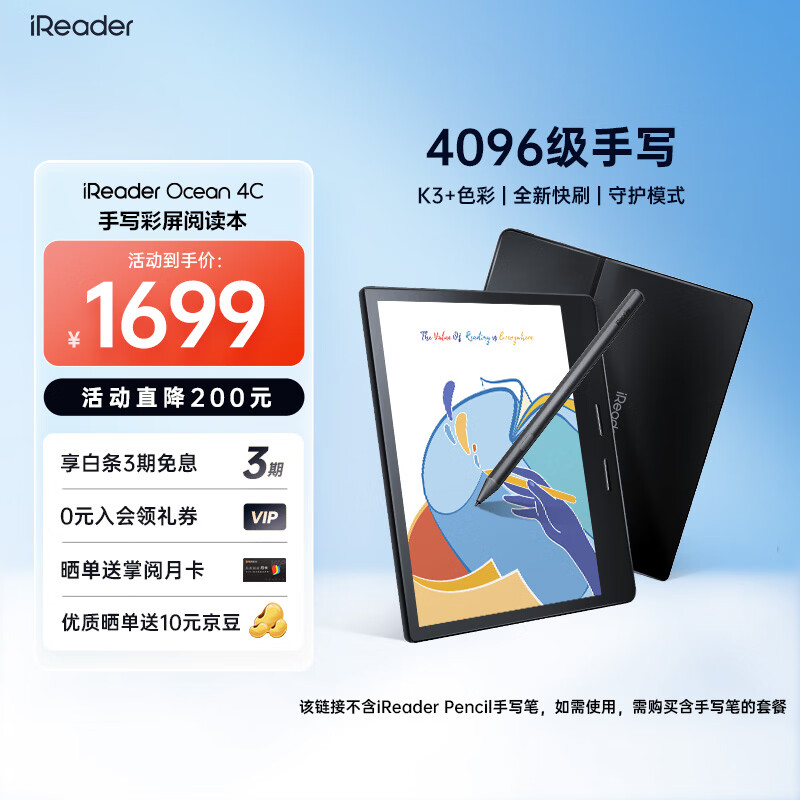
1、超清色彩显示:Ocean 4C彩色电纸书墨水屏平板,采用了全新的K3+色彩技术,色彩显示效果相当惊艳。亮度提升了66%,色彩饱和度高达88%,让你阅读时仿佛置身于真实的世界中,色彩鲜明,细节丰富。
2、高速刷新体验:Ocean 4C的刷新速度提升到了78%,无论是翻页还是滑动,都流畅无比,几乎感觉不到延迟。加上人体工学2.0设计,握持舒适,长时间阅读也不会感到手累。
3、智能AI辅助阅读:Ocean 4C内置了SmartOS 2.5操作系统,支持AI辅助阅读功能。通过AI思维导图、AI大纲内容、AI速度预览等,帮你快速把握全书核心内容,提高阅读效率。而且,Ocean 4C还有4096级压感手写笔,让你可以随时记录灵感,体验更丰富的阅读乐趣。
四、汉王
汉王Clear6主打经济实用路线,是一款6英寸的电子书阅读器墨水屏平板。它的屏幕表现虽不算顶尖,但对大多数阅读需求来说完全够用,重量轻便,拿在手上也很舒适。
系统操作简单直观,开机和翻页速度都不错,适合入门用户或者主要用来阅读文字类内容的人群。我用它看长篇小说,几乎没有延迟感,文字显示清晰,护眼效果稳定。
市场上不少入门用户对Clear6的评价集中在“性价比高、轻巧便携”,如果预算有限又想尝试墨水屏阅读,这款是不错的选择。
推荐No.4款:汉王Clear6英寸电子书阅读器墨水屏平板
1、超薄轻便:这款汉王Clear6电子书阅读器真的薄得惊人,只有7mm厚,轻约160g,就像一本书一样轻巧。拿在手里完全没有负担,随时随地都能轻松阅读。
2、续航强大:电池容量高达3000mAh,据汉王实验室数据显示,可以连续阅读约120小时,这意味着你可以一次充满电,然后连续看几天,完全不用担心电量问题。
3、功能全面:这款阅读器支持36种文件格式,包括常见的PDF、TXT、DOC等,而且还有AI悦耳听书功能,音质清晰,支持多款AI人声,可以让你在阅读的同时享受听觉的盛宴。
五、BIGME
BIGME HiBreak Pro定位更偏向多用途,既可以作为电子书阅读器,也支持部分办公和学习应用。屏幕尺寸适中,显示清晰,黑白墨水屏体验出色。
用户故事上,有朋友在上下班通勤时使用这款平板,看教材和PDF资料非常方便,还能做简单的手写笔记。实际测试中,触控精准度和手写延迟都在可接受范围,日常办公需求完全满足。
从品牌口碑来说,BIGME在国内市场逐渐打开知名度,尤其是HiBreak Pro的功能性和续航能力获得用户好评。
推荐No.5款:BIGMEHiBreak pro电子书阅读器墨水屏平板
1.超高清屏幕体验:6.13英寸墨水屏,300PPI超高分辨率,就像阅读真正的书籍一样,不仅眼睛舒服,还特别护眼,长时间阅读也不会觉得累。
2.流畅阅读体验:SSS级动态刷新技术,配合0频闪,阅读更舒适,翻页更顺畅,再也不会有普通屏幕的卡顿感,就像翻阅实体书一样。
3.长效续航保障:4500mAh大电池,加上墨水屏的低功耗,可以轻松满足你一整天的阅读需求,不用担心电量焦虑,随时随地享受阅读乐趣。
六、小米
小米电纸书7寸墨水屏阅读器64GB在硬件上延续了小米一贯的高性价比策略,屏幕显示清晰,容量够大,能够存储大量电子书和PDF文件。
这款平板的亮点是系统优化和续航表现,轻量化设计加上低功耗屏幕,使得长时间使用几乎不用频繁充电。对于喜欢整天携带平板阅读的人来说非常适合。
用户口碑集中在“价格亲民、续航强、护眼”,尤其适合对预算敏感但又希望体验高质量阅读的人群。
推荐No.6款:小米电纸书7寸墨水屏阅读器64GB墨水屏平板
1、续航王:这小米电纸书7寸墨水屏阅读器,续航能力简直了得!搭载了自研均衡刷新模式,加上四核1.8GHz的墨水屏专用低功耗CPU,充满一次电能阅读高达40小时,这可不是吹牛哦!想象一下,你可以在旅途中不带充电宝,也能畅读一整天,是不是很心动?
2、高清屏幕体验:7英寸的屏幕,300ppi的高清分辨率,阅读体验简直不要太爽!而且,它还支持32级冷暖双色温自动调光,无论白天还是夜晚,都能找到最舒适的阅读光线。这可不是一般的小玩意儿能比的!
3、智能操作便捷:搭载了Android 11系统,内置了龙源漫画、微信读书、掌阅精选等超多阅读APP,满足你的各种阅读需求。而且,2GB的运行内存和64GB的大内存,让你存储书籍、漫画、文档等,完全没问题!还有自动旋屏功能,左右手都能轻松阅读,人性化设计,贴心至极!
七、JDRead
JDRead HiBreak 5.84寸墨水屏电纸书虽然屏幕相对较小,但操作灵敏,单手握持非常轻便。它的亮度调节和护眼模式都很贴心,适合在光线较复杂的环境中使用。
实际使用中,JDRead对PDF和小说的显示优化较好,翻页速度快,不容易出现文字残影。系统简洁易用,对于日常阅读和笔记需求的人群都很合适。
市场反馈显示,这款产品的稳定性和便携性是用户选择它的主要原因。
推荐No.7款:JDRead HiBreak 5.84寸墨水屏电纸书墨水屏平板
1、超清护眼屏幕:这款HiBreak电纸书搭载了5.84英寸的墨水屏,不仅显示效果细腻,而且采用了德国莱茵TÜV Rheinland类纸显示认证,屏幕的显示效果更接近纸张,有效减少长时间阅读对眼睛的疲劳,让阅读更舒适,保护你的视力。
2、强劲性能配置:八核CPU搭配6GB+128GB内存,支持1TB TF卡拓展,让你在阅读、笔记、学习等多种场景下都能轻松应对,无论是处理文档还是观看视频,都能流畅运行,满足你的各种需求。
3、智能便捷体验:内置高精尖端陀螺仪设备,支持GPS高效实时定位,让你无论走到哪里都能精准导航,高效便捷。而且支持多种主流格式阅读,包括PDF、TXT、EPUB等,长按取词翻译、批注,让阅读更加智能便捷。
八、学益升
学益升X1 10.3寸彩墨屏电子书主打大屏彩色阅读体验,尤其适合教材和漫画阅读。10.3寸的大屏让页面显示更完整,不必频繁滚动翻页,极大提高了阅读效率。
这款平板兼顾护眼与显示效果,彩色表现饱满自然,长时间阅读也不会眼睛疲劳。我自己在使用时发现,看彩色教材和图表特别直观,做笔记也方便。
学益升X1在市场上的定位比较明确,就是大屏彩色阅读爱好者,用户口碑总体积极,尤其是教育类用户推荐度高。
推荐No.8款:学益升X1 10.3寸彩墨屏电子书墨水屏平板
1、细腻柔和的视觉体验:10.3英寸的彩色墨水屏,272PPI的分辨率,色彩丰富,清晰度高,看文献、刷网页、追剧都超级舒服,长时间看也不累眼。而且,这款墨水屏还采用了无蓝光设计,有效减少对眼睛的伤害,保护你的视力。
2、强大扩展性:内置4+64GB内存,TF卡槽支持最高1TB的扩展,想存多少资料都行,再也不用担心空间不够用了。
3、高效便捷的办公学习工具:内置超过60万的阅读资源,支持手写笔记,还有语音转文字功能,开会记录、学习笔记都超级方便。而且,它还支持阅读双开,一边看文献一边做笔记,效率倍增。
九、小猿
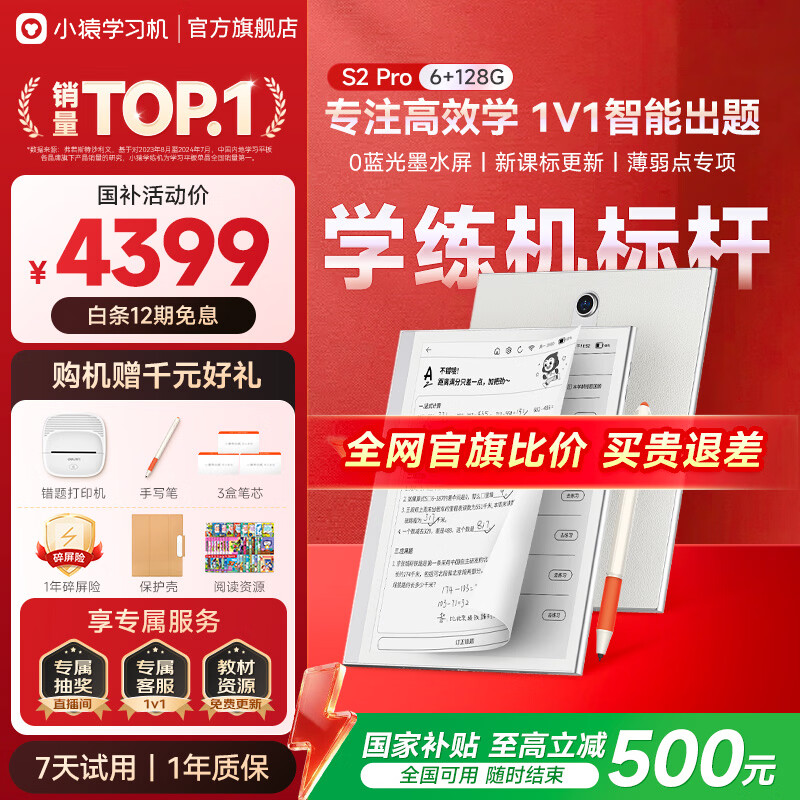
小猿S2 Pro升级版128G AI护眼平板是一款高端护眼设备,主打AI护眼模式和大容量存储,支持多种阅读格式。它的屏幕尺寸适中,黑白显示清晰,彩色显示可用于教材和漫画,护眼功能在长时间使用中非常明显。
实际体验中,手写笔流畅度高,触控精准,兼顾办公和阅读两种场景,适合学生和专业人士。市场口碑显示,S2 Pro回购率高,用户评价集中在“护眼模式有效、存储够用、系统流畅”,是这9大品牌中比较全面的一款选择。
推荐No.9款:小猿S2Pro升级版128G AI护眼平板墨水屏平板
1、超强大内存:128G的超大内存,让你的学习资料和娱乐内容都轻松存放,不用担心空间不够用。无论是大量的学习资料,还是你的电影、音乐,都能轻松装下,让你的平板使用体验更加流畅。
2、AI护眼黑科技:小猿S2Pro升级版采用的是墨水屏技术,对眼睛更友好,有效减少蓝光辐射,保护你的视力。特别是对于经常用平板学习的孩子和学生来说,这个功能简直是太贴心了,让他们在享受科技带来的便捷的同时,也能保护视力健康。
3、海量资源免费更新:小猿学练机内置了20亿+的题库和3400+册热门教辅资源,覆盖305个教材版本,还有近3年试卷真题,让你的学习资料全面、更新及时。更重要的是,这些资源会持续免费更新,让你一直拥有最全面的学习支持。
总结
总的来说,如果你更看重商务办公和手写笔记体验,科大讯飞X3 Pro和小猿S2 Pro是不错的选择;而偏向彩色阅读的用户,则可以优先考虑BOOX Leaf5C、掌阅Ocean 4C或学益升X1,大屏和彩色效果会更舒服。
预算有限的情况下,汉王Clear6和JDRead HiBreak可以满足日常阅读需求,轻便又经济;小米电纸书则在价格和续航上有优势,适合整天携带阅读的用户。BIGME HiBreak Pro则在功能性和多用途体验上更均衡,适合办公与学习兼顾的人群。
说实话,根据我的使用体验,这9款墨水屏平板各有千秋,选择关键还是看自己使用场景和重点需求。只要明确需求,选对品牌和型号,几乎可以做到一步到位,避免踩雷,也让阅读和办公体验都更舒适。
Many people fall into a dilemma when choosing an e-ink tablet: the screens all look similar, brands abound and features vary — so which one actually suits you? Honestly, online recommendations are all over the place, and specs alone leave you dazzled; only hands-on experience reveals how big the differences really are. I have tried quite a few brands myself, from office use to reading, from colour documents to eye-care modes, and I have summed up quite a few lessons from every device swap.
Actually, choosing an e-ink tablet is much like picking a book: size, weight, screen type, system smoothness, battery life… every one of these directly affects how it feels to use. Quite a few friends I know bought one that did not fit their needs and complained daily about 'tiring to look at' and 'slow to operate'. So this article will analyse things based on real usage experience as far as possible, spelling out the strengths and weaknesses of each product.
Also, whether you prefer colour reading, mainly need office documents, or care more about battery life and eye comfort, this article will help you clarify your thinking. Let us go through nine major brands one by one.
1. iFLYTEK
The iFLYTEK X3 Pro smart office notebook leans towards business and study office scenarios, with a moderate screen size and an e-ink screen combined with stylus input, making it especially suitable for meeting notes and note-taking. In actual use, stylus latency is very low, almost matching the smoothness of a pen on paper, which is genuinely delightful for people used to handwriting.
On the system side, it supports multi-task split screen, and file management and syncing are convenient — especially for users who often need to handle documents on a tablet. I tested opening PDF and PPT files: page-turning was fast and the interface responsive, with virtually no lag in the office experience.
Judging from market feedback, the X3 Pro has a high repurchase rate, and many users report that the 'screen is easy on the eyes, battery life is strong, handwriting is smooth'. Overall ratings fall in the high-satisfaction category.
Recommendation No.1: iFLYTEK X3 Pro Smart Office Notebook E-Ink Tablet
1. Writing experience: a 10.65-inch E Ink flexible e-ink screen, 300ppi high-definition display, and a Wacom magnetic electromagnetic pen with a flexible fibre tip and 4096 levels of pressure sensitivity — it feels like writing with a fountain pen on paper, natural and smooth, restoring a genuine writing experience.
2. Intelligent voice recognition: a professional eight-microphone array, 12 dialect recognitions, multi-speaker recognition with role separation, 16 major industry vocabularies and offline transcription make meeting notes more accurate and work more efficient.
3. Deep thinking assistant: powered by the Spark large model, with new meeting-summary features. One tap enables deep thinking, logical reasoning and information distillation, rapidly producing meeting minutes with clear structure and distinct key points, helping you advance work efficiently.
iFLYTEK Smart Office Notebook X3 Pro 10.65-inch handwriting notebook e-book reader e-ink e-paper tablet, government subsidy
¥ 4299 JD monthly sales 100, 98% positive rating, no-reason returns, JD delivery, buy
2. BOOX
The BOOX Leaf5C is a 7-inch colour e-book e-ink tablet focused on lightness and portability, ideal for users who read colour comics, magazines and textbooks anytime, anywhere. The 7-inch screen feels very light in the hand, and long reading sessions do not cause hand fatigue.
The colour e-ink screen performs well in daily use. Colours are not as vivid as an LCD tablet, but brightness is even and the eye-care effect is noticeable. The system is well optimised, with fast page turns and responsive note-taking — particularly good for students or professionals doing quick reading on the commute.
BOOX has long-standing solid reputation in the e-ink market, and the Leaf5C continues its light, portable design philosophy, suiting those who want colour reading without sacrificing eye health.
Recommendation No.2: BOOX Leaf5C 7-Inch Colour E-Book E-Ink Tablet
1. Beautiful design, superb feel: this 7-inch colour e-book e-ink tablet from BOOX is simply gorgeous. It uses an original ergonomic design in forest green and vibrant gold, fresh yet stylish. And the feel is superb — easy to hold whether your hands are large or small. Every button has been carefully refined, medium-sized and exceptionally comfortable to press.
2. Strong performance, smooth reading: it carries a Qualcomm octa-core processor with a combined benchmark score of 330,000+, and the speed is excellent. Opening books and switching apps are perfectly smooth with no stuttering. 4GB of RAM and 64GB of storage easily handle all reading needs, plus support for storage expansion up to 2TB — fitting your whole library in your pocket.
3. Smart experience, intelligent reading: built-in dual bookstores with millions of genuine books, plus JD Reading and Dedao bookstore support, 30+ formats, professional optimisation and open-to-read. It supports multi-device reading sync — wherever you read, your progress, notes and annotations follow, which is very convenient.
BOOX Leaf5C 7-inch colour e-ink e-paper e-book reader, portable reading, comics, office notebook tablet, forest green
¥ 1899 JD monthly sales 300, 96% positive rating, no-reason returns, JD delivery, buy
3. iReader
The iReader Ocean 4C is also a colour e-reader, with a screen size likewise suited to one-handed use, and its user experience emphasises comfortable reading. For example, when reading comics or textbooks the colour layering is clear and long browsing does not cause visual fatigue.
The operating system is relatively clean and the app store offers a good selection of content, making it especially suitable for people who like reading e-books and magazines. Notably, iReader has done a mature job of integrating content resources, so obtaining and managing e-books is very convenient.
Among user feedback, the stability and eye-care effect of this tablet are highlights mentioned many times, with few stutters or crashes in daily use.
Recommendation No.3: iReader Ocean 4C Colour E-Paper E-Ink Tablet
1. Ultra-clear colour display: the Ocean 4C adopts the all-new K3+ colour technology, giving a genuinely stunning display result. Brightness is up 66% and colour saturation reaches 88%, immersing you in a real-world feel with vivid colours and rich detail.
2. High-speed refresh experience: the Ocean 4C's refresh rate is improved to 78%, so page turns and scrolling are perfectly smooth with almost no perceptible latency. Combined with ergonomic 2.0 design, the grip is comfortable and long reading does not tire the hand.
3. Smart AI reading assistance: the Ocean 4C runs the SmartOS 2.5 operating system and supports AI-assisted reading. Through AI mind maps, AI outline content and AI speed preview, it helps you quickly grasp the core of the book and improve reading efficiency. It also comes with a 4096-level pressure-sensitive stylus so you can capture inspiration at any moment,
iReader Ocean 4C 7-inch colour e-ink e-book reader, portable e-paper, handwriting AI tablet for study notes and office, space black 64GB
¥ 1699 JD, 96% positive rating, no-reason returns, JD delivery, flagship store, buy
4. Hanwang
The Hanwang Clear6 takes the economical and practical route as a 6-inch e-reader e-ink tablet. Its screen performance is not top-tier, but it is entirely adequate for most reading needs, and it is light and comfortable in the hand.
The system is simple and intuitive to operate, with good boot and page-turn speed, suiting entry-level users or those who mainly read text-based content. I used it to read long novels with virtually no lag, text rendering was clear and the eye-care effect consistent.
On the market, many entry-level users rate the Clear6 highly for 'great value, light and portable'. If your budget is limited and you want to try e-ink reading, this is a good choice.
Recommendation No.4: Hanwang Clear6 6-Inch E-Book Reader E-Ink Tablet
1. Ultra-thin and light: this Hanwang Clear6 e-reader is astonishingly thin at just 7mm and weighs about 160g, as light as a book. It carries no burden in the hand and you can read comfortably anywhere.
2. Strong battery: the battery reaches 3000mAh, and according to Hanwang lab data it supports about 120 hours of continuous reading — meaning one charge lasts you several days with no battery anxiety.
3. Comprehensive features: it supports 36 file formats including the common PDF, TXT and DOC, and has an AI audiobook feature with clear audio quality and multiple AI voices, letting you enjoy an auditory feast while reading.
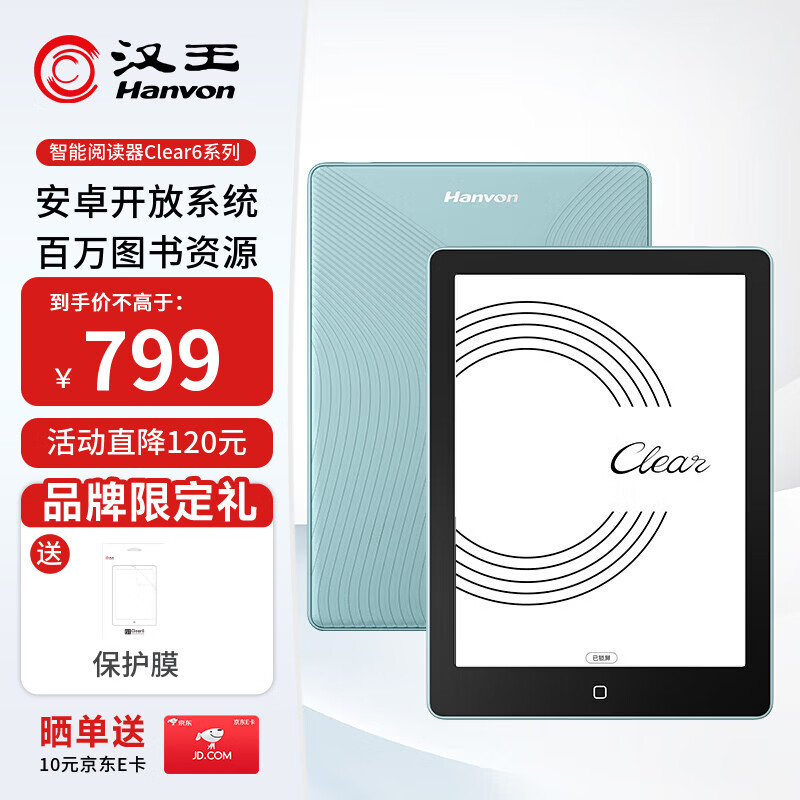
Hanwang Clear6 6-inch e-book reader, e-ink e-paper tablet, smart reading device, study, portable, aqua green
¥ 799 JD monthly sales 1000, 97% positive rating, no-reason returns, JD delivery, buy
5. BIGME
The BIGME HiBreak Pro leans more towards multi-purpose use, working as an e-book reader while also supporting some office and study apps. The screen size is moderate, the display clear, and the black-and-white e-ink experience excellent.
On the user story side, a friend of mine uses this tablet on their commute, finding it very convenient for reading textbooks and PDF materials, and it can also do simple handwritten notes. In actual testing, touch accuracy and handwriting latency are both within acceptable range — everyday office needs are fully met.
Regarding brand reputation, BIGME is gradually building recognition in the domestic market, and the functionality and battery life of the HiBreak Pro have won user praise.
Recommendation No.5: BIGME HiBreak Pro E-Book Reader E-Ink Tablet
1. Ultra-high-definition screen: a 6.13-inch e-ink screen at 300PPI, just like reading a real book — easy on the eyes and genuinely protective, with no fatigue even over long sessions.
2. Smooth reading experience: SSS-grade dynamic refresh technology combined with 0Hz flicker makes reading more comfortable and page turns smoother, with none of the stuttering of ordinary screens — just like flipping a physical book.
3. Long-lasting battery: a large 4500mAh battery plus the low power consumption of e-ink easily meets a full day of reading, so you can enjoy reading anywhere without battery anxiety.
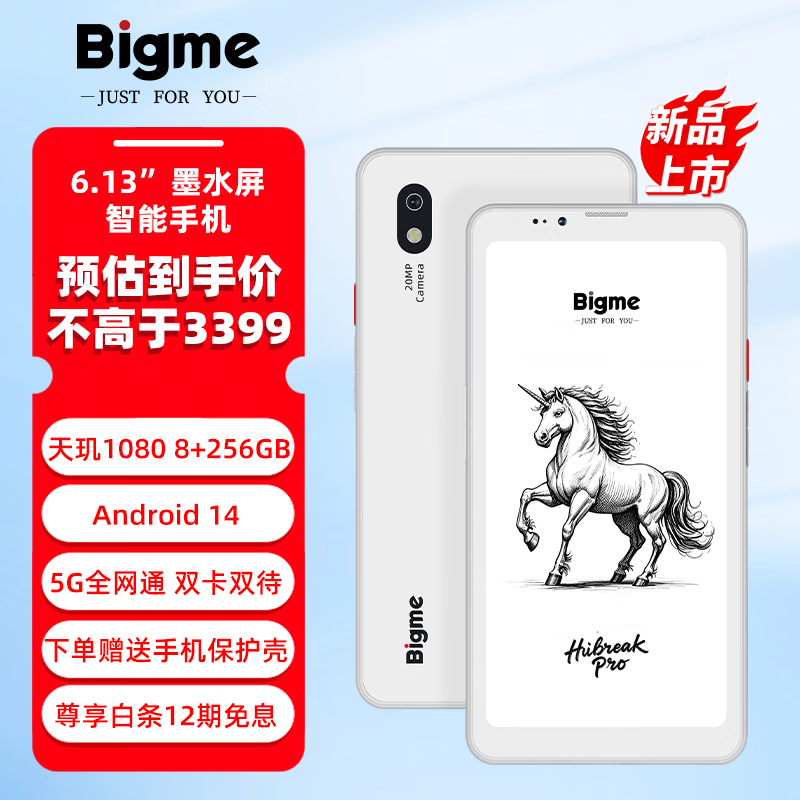
BIGME HiBreak Pro 6.13-inch e-book reader, e-ink e-paper, portable, study, smartphone/tablet, HiBreak Pro 8 256GB e-ink smartphone, official standard
¥ 3399 JD monthly sales 76, 99% positive rating, no-reason returns, JD delivery, buy
6. Xiaomi
The Xiaomi E-Book Reader 7-inch e-ink 64GB continues Xiaomi's consistent high-value strategy in hardware, with a clear display and ample capacity for storing large numbers of e-books and PDFs.
The highlights of this tablet are system optimisation and battery performance — a lightweight design combined with a low-power screen means you rarely need to charge during long use. It suits people who like carrying a tablet for reading all day.
User feedback centres on 'affordable price, strong battery, easy on the eyes', making it especially suitable for those sensitive to budget but hoping for a high-quality reading experience.
Recommendation No.6: Xiaomi E-Book Reader 7-Inch E-Ink 64GB E-Ink Tablet
1. The battery king: this Xiaomi 7-inch e-ink reader has outstanding endurance. With an in-house balanced refresh mode plus a quad-core 1.8GHz low-power CPU dedicated to e-ink, a single charge delivers up to 40 hours of reading — and that is no exaggeration. Picture travelling without a power bank and reading all day — appealing, isn't it?
2. High-definition screen: a 7-inch screen at 300ppi gives a superb reading experience. It also supports 32 levels of automatic colour-temperature adjustment, so you can find the most comfortable reading light whether day or night — not something ordinary gadgets can match.
3. Smart, convenient operation: it runs Android 11 with a huge number of reading apps built in, including Longyuan Comics, WeChat Reading and iReader Select, covering all your reading needs. 2GB of RAM and 64GB of storage handle books, comics and documents with no problem. Auto-rotation lets both left- and right-handers read comfortably — a thoughtful design,
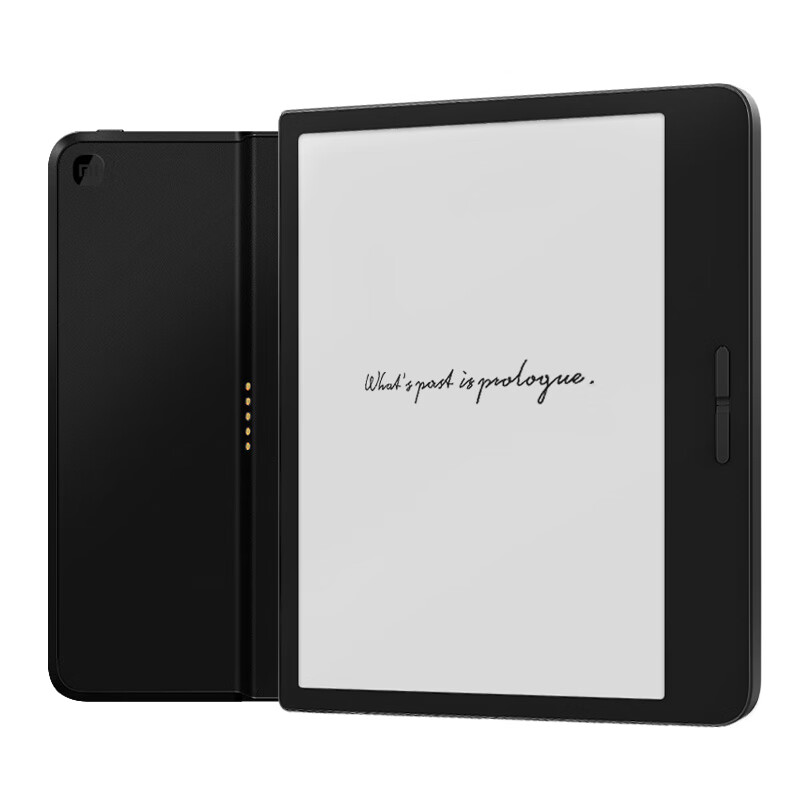
Xiaomi E-Book Reader 7-inch e-ink reader, official standard with charging protective case, dual battery life, study, portable reading, 64GB
¥ 1199 JD monthly sales 88, 96% positive rating, no-reason returns, JD delivery, buy
7. JDRead
The JDRead HiBreak 5.84-inch e-ink e-paper reader has a relatively small screen, but it is responsive and very light to hold one-handed. Its brightness adjustment and eye-care mode are both thoughtful, making it suitable for use in complex lighting conditions.
In actual use, JDRead optimises well for PDFs and novels, with fast page turns and no tendency toward text ghosting. The system is clean and easy to use, well suited to those with everyday reading and note-taking needs.
Market feedback indicates that stability and portability are the main reasons users choose this product.
Recommendation No.7: JDRead HiBreak 5.84-Inch E-Ink E-Paper Tablet
1. Ultra-clear eye-care screen: the HiBreak carries a 5.84-inch e-ink screen with fine display quality, and holds TÜV Rheinland paper-like display certification, so the rendering is closer to paper and effectively reduces eye fatigue over long reading — more comfortable and protective of your vision.
2. Powerful configuration: an octa-core CPU with 6GB+128GB memory and support for 1TB TF card expansion handles reading, note-taking and study with ease — whether processing documents or watching video, everything runs smoothly and meets your various needs.
3. Smart, convenient experience: a built-in high-precision gyroscope and efficient real-time GPS keep you precisely located wherever you go. It also supports many mainstream formats including PDF, TXT and EPUB, with press-and-hold word lookup, translation and annotation making reading smarter and more convenient.
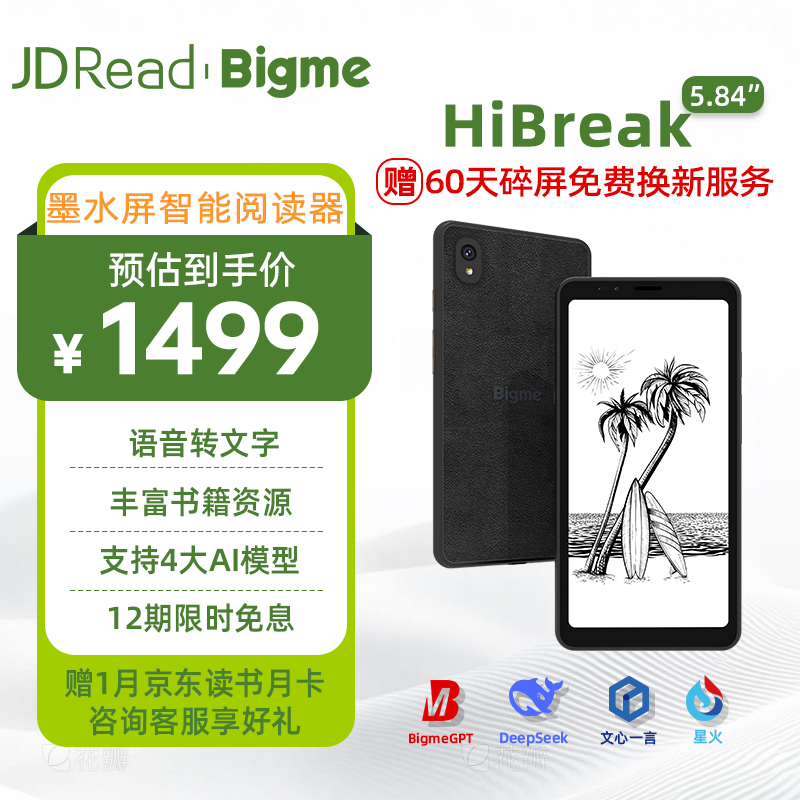
JDRead collaboration edition HiBreak 5.84-inch HD e-ink e-book AI reader, e-paper tablet supporting 4 major AI models, eye-care and portable
¥ 1499 JD monthly sales 76, 97% positive rating, no-reason returns, JD delivery, buy
8. Xueyisheng
The Xueyisheng X1 10.3-inch colour e-ink reader focuses on large-screen colour reading, especially for textbooks and comics. The 10.3-inch screen shows pages more completely without frequent scrolling, greatly improving reading efficiency.
This tablet balances eye care with display quality, with full and natural colour reproduction and no eye fatigue over long sessions. In my own use I found colour textbooks and charts especially intuitive, and note-taking convenient.
The Xueyisheng X1 has a clear market position — it is for large-screen colour reading enthusiasts. User sentiment is broadly positive, especially among education users.
Recommendation No.8: Xueyisheng X1 10.3-Inch Colour E-Ink Tablet
1. Delicate, gentle visual experience: a 10.3-inch colour e-ink screen at 272PPI with rich colours and high clarity — superb for reading papers, browsing the web or watching shows, with no eye fatigue over long periods. It also uses a blue-light-free design that effectively reduces harm to your eyes and protects your vision.
2. Strong expandability: built-in 4+64GB memory with a TF card slot supporting expansion up to 1TB, so you can store as much material as you like and never worry about running out of space.
3. Efficient office and study tools: over 600,000 reading resources built in, stylus note-taking and voice-to-text, making meeting records and study notes very convenient. It also supports dual-window reading — reading papers on one side while taking notes on the other, doubling efficiency.
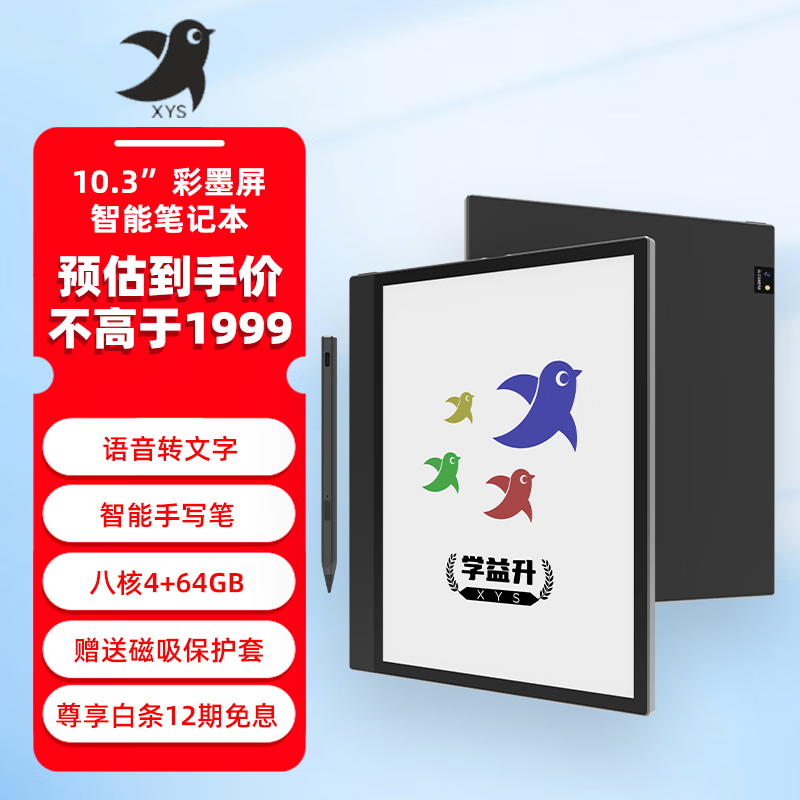
Xueyisheng X1 10.3-inch large-screen colour e-ink reader, e-book e-paper tablet, fast-refresh smart office notebook, new release 10.3-inch colour e-ink X1
¥ 1999 JD, 96% positive rating, no-reason returns, buy
9. Xiaoyuan
The Xiaoyuan S2 Pro upgraded 128G AI eye-care tablet is a high-end eye-care device focused on AI eye-care mode and large storage, supporting multiple reading formats. Its screen size is moderate, black-and-white rendering is clear, colour display is usable for textbooks and comics, and the eye-care function is very noticeable in long use.
In actual experience the stylus is highly fluid and touch is accurate, covering both office and reading scenarios — suitable for students and professionals. Market feedback shows a high repurchase rate for the S2 Pro, with reviews centring on 'effective eye-care mode, sufficient storage, smooth system', making it one of the more well-rounded picks among these nine brands.
Recommendation No.9: Xiaoyuan S2 Pro Upgraded 128G AI Eye-Care E-Ink Tablet
1. Super-strong memory: 128G of storage easily holds both study material and entertainment content with no space anxiety. Whether it is extensive study material or your films and music, everything fits, making your tablet experience smoother.
2. AI eye-care technology: the Xiaoyuan S2 Pro upgraded version uses e-ink technology, which is friendlier to the eyes, effectively reduces blue-light radiation and protects your vision. Especially for children and students who often use tablets for study, this feature is wonderfully thoughtful — letting them enjoy the convenience of technology while protecting their eyesight.
3. Massive resources with free updates: the Xiaoyuan learning device ships with a 2-billion-plus question bank and 3,400+ popular supplementary titles, covering 305 textbook editions, plus nearly three years of past exam papers — comprehensive and up-to-date study material. Importantly, these resources keep updating free of charge, so you always have the most complete study support.
¥ 100
Xiaoyuan learning device S2Pro 6 128G, Yuanfudao e-ink learning tablet, AI eye-care tablet for primary and secondary students, 128G large-memory flagship S2 Pro
¥ 4398
JD, 99% positive rating, no-reason returns, official store, flagship store
buy
Summary
Overall, if you put more weight on business office work and handwriting, the iFLYTEK X3 Pro and Xiaoyuan S2 Pro are good picks; if you lean toward colour reading, consider the BOOX Leaf5C, iReader Ocean 4C or Xueyisheng X1 first — the large screen and colour performance are more comfortable.
On a limited budget, the Hanwang Clear6 and JDRead HiBreak meet everyday reading needs, being light and economical. The Xiaomi E-Book Reader has advantages in price and battery life, suiting users who carry a tablet to read all day. The BIGME HiBreak Pro is more balanced in functionality and multi-purpose experience, fitting those balancing office and study.
Honestly, based on my usage experience, these nine e-ink tablets each have their strengths. The key to choosing still depends on your own scenarios and priorities. As long as your needs are clear and you pick the right brand and model, you can get it right in one step, avoid pitfalls and make both reading and office work more comfortable.