
墨水屏电子标签这东西,原本是超市货架上的电子价签。

商超后台改价格,货架上的小屏幕同步刷新。以前需要人工换纸,现在一套系统直接下发。它的定位很明确,就是低功耗、长寿命、批量管理。
这两年闲鱼、B站、论坛上,电子价签被翻出来玩了一波。有人拿它做桌面天气牌,有人改成日历屏,有人做工位名牌、NAS状态屏、Home Assistant信息屏,还有人把它贴在门口显示快递、待办、RSS订阅和服务器状态。
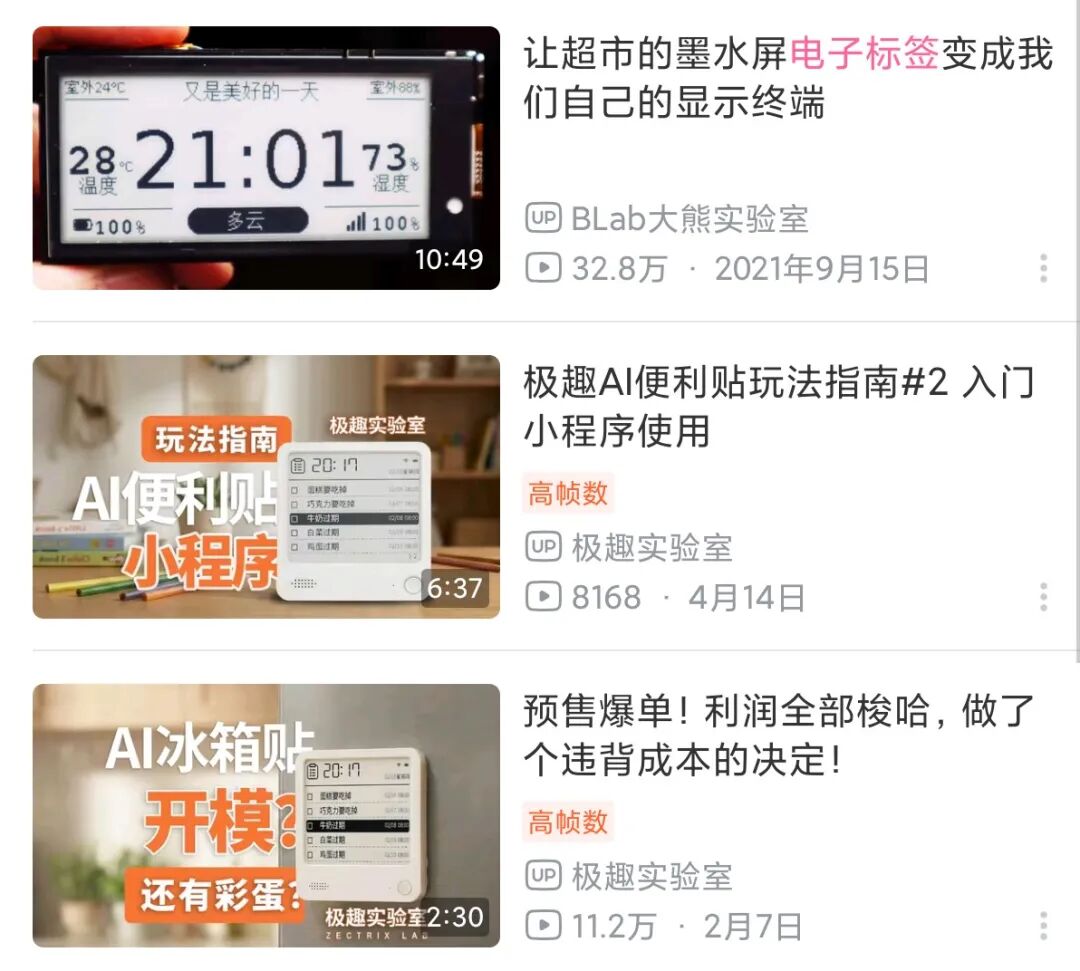
它能火起来,核心原因很简单:便宜、完整、功耗低。
一块电子价签里面,基本已经有了墨水屏、主控芯片、无线模块、电池仓、外壳和天线。玩家不需要从零开始设计硬件,只要找到对应型号的资料,刷写固件或者改接屏幕,就能把它变成一个小型低功耗显示终端。
墨水屏的优势也很明显。它不是一直亮着的屏幕,刷新画面时耗电,画面刷新完成后可以长时间保持显示。放在桌面上看天气、日历、待办,不刺眼,也没有普通屏幕那种一直发光的存在感。很多商用电子价签本来就是按几年电池寿命设计的,拿来做个人桌面显示,刷新频率低一点,续航表现非常舒服。
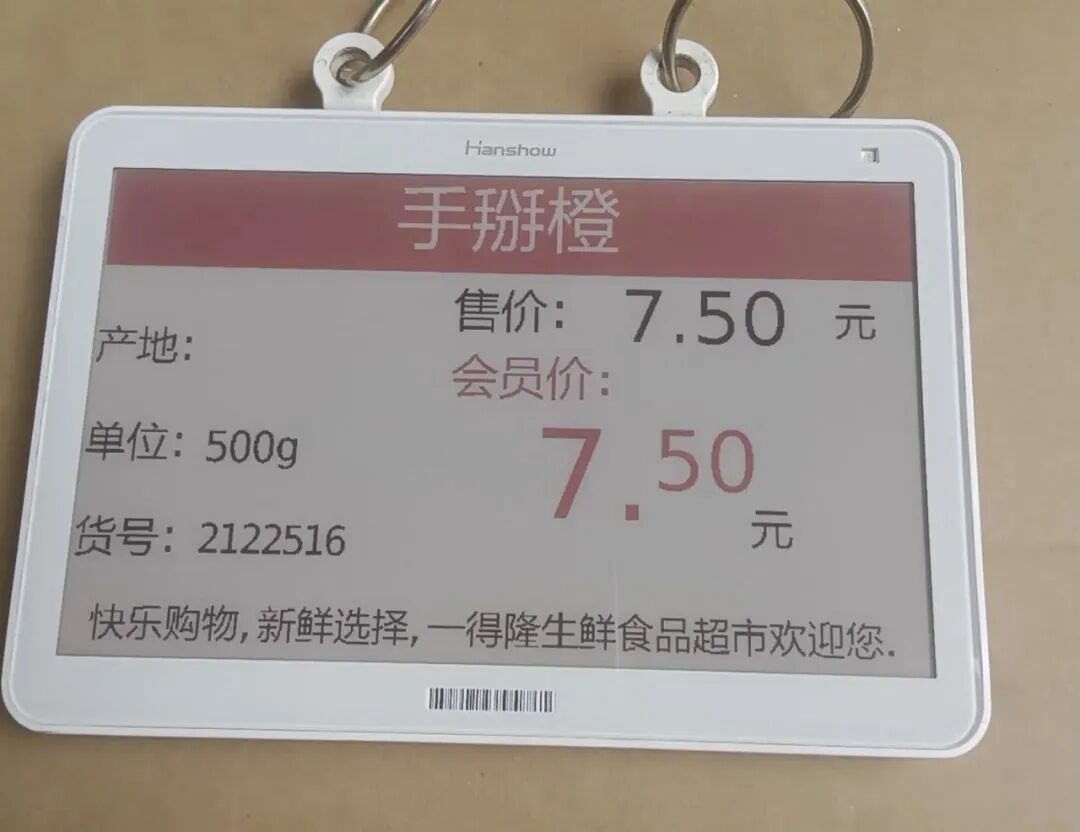
拆开之后,结构并不复杂。
正面是一块电子纸屏幕,常见尺寸有 1.54 英寸、2.13 英寸、2.9 英寸、4.2 英寸,也有更大的 7.5 英寸规格。屏幕颜色主要分黑白、黑白红、黑白黄,更新一些的还有四色电子纸。主板上一般会有低功耗 MCU 或无线 SoC,旁边可能还有 SPI Flash、屏幕驱动、电源管理、电池触点、天线,有些型号还带 NFC、LED 或按键。
真正麻烦的地方不在屏幕,而在型号。
电子价签不是统一规格的开发板。不同品牌、不同批次、不同年份,里面的方案差异很大。看起来都是 2.13 英寸小白牌,里面可能是 MSP430,也可能是 CC2640、TLSR8359、nRF、ZBS、SiLabs 或其他私有方案。通信方式也不统一,有 BLE,有 2.4GHz 私有协议,有 IEEE 802.15.4,也有 SubGHz。
所以买这东西,不能只看外观和尺寸。
二手电子价签最重要的是型号和芯片。型号有人成功刷过,资料完整,才算比较稳。只写“墨水屏电子价签”“超市价签”“电子纸价签”,没有芯片信息、没有背面照片、没有主板图,这种就很看运气。运气好是可刷固件的小玩具,运气差就是一块只能拆屏幕的白色塑料片。
目前玩家常见的玩法大概分几类。
第一类是保留原板,刷第三方固件。
OpenEPaperLink 是目前比较常被提到的开源项目。它的思路是把电子货架标签变成可控的信息屏,项目里包含 AP 网关固件、标签固件和网页管理界面。玩家可以用 ESP32、ESP32-S3 或专用 AP 硬件搭一个网关,再把支持的标签刷成对应固件。后续就可以通过网页后台推送图片、文字、天气、日历、RSS、Home Assistant 状态等内容。

这条路线的好处是外观完整,原装电池仓、外壳、屏幕和无线模块都能保留。放在桌面上不像一个临时焊出来的开发板,更像一个正式产品。缺点是对型号要求很高,不是所有电子价签都能直接刷,也不是所有价签都能用同一个 AP 搞定。
第二类是把原板放弃,只留下屏幕。
这种玩法更直接。电子价签拆开以后,把墨水屏当成普通电子纸屏幕模组,用 ESP8266、ESP32、STM32 这类开发板重新驱动。屏幕显示内容由自己的程序控制,天气、时间、日历、文字图片都能做。
这条路线更适合做固定桌面小摆件。逻辑清楚,代码自己写,网络请求也好处理。缺点也很明显,排线定义、屏幕型号、驱动时序、供电方式都要自己摸。电子价签里的屏幕不一定和常见开发板模块完全一致,排线规格、触点方向、屏幕驱动芯片都有可能不同。
第三类是折腾网关和无线协议。
有些电子价签本身可以继续使用原来的无线通信,只是玩家用自己的网关替代商超后台。这里面会涉及 ESP32、CC1101、CC2531、A7105 等不同硬件,也会涉及 2.4GHz、SubGHz、BLE、私有协议等内容。这条路线更偏无线和协议分析,门槛比单纯刷固件高,但可玩性也更强。
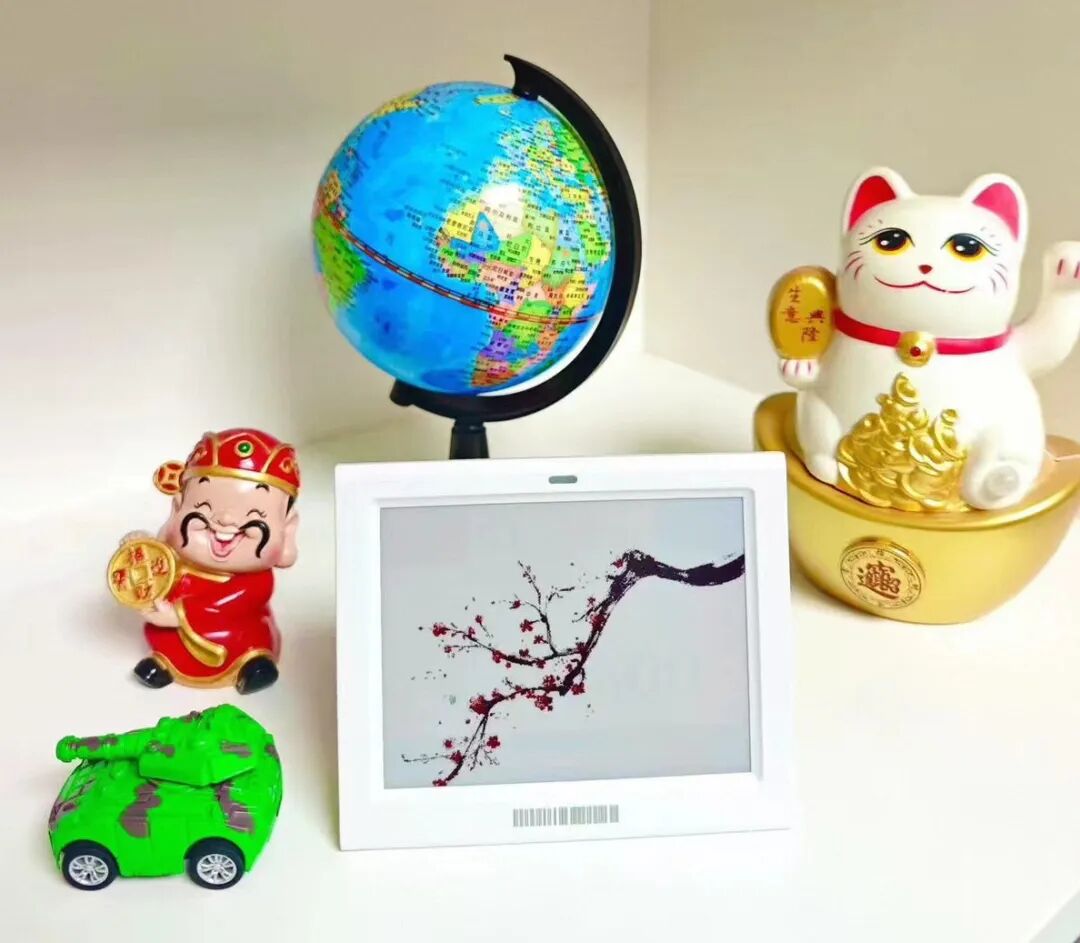
软件生态里,OpenEPaperLink 算是目前完整度比较高的路线。
它不是单纯“让屏幕亮一下”,而是更接近一个小型电子纸标签管理系统。网页后台、模板、图片推送、标签管理、AP 固件、标签固件都在一个生态里。刷好之后,电子价签就不再是孤立的小屏幕,而是可以统一管理的一批低功耗显示终端。
ATC_TLSR_Paper 则主要针对 Telink TLSR8359 方案的汉朔电子价签。它提供自定义 BLE 固件,常见于一些 Hanshow Stellar 系列型号。相关工具里有 WebSerial 刷写、WebBluetooth 上传图片、OTA 写入等功能。这个路线对特定型号很友好,但前提依旧是芯片和版本要对得上。
ZBS 系列价签经常会用到 ZBS_Flasher。这个工具主要面向 ZBS243、SEM9110 这类芯片,需要通过测试点或者治具进行刷写。它不像普通 USB 设备那样插上就能刷,通常要接 GPIO、供电、复位、调试脚,操作上更偏硬件玩家。
2.13 英寸和 2.9 英寸最适合入门。
这两个尺寸便宜,货源多,资料也相对多。做天气牌、日历牌、待办牌都够用。4.2 英寸观感更舒服,显示信息量明显更大,放桌面也更像一个正经信息屏。7.5 英寸以上适合做门牌、公告牌、家庭信息看板,但价格和折腾成本都会上去。
黑白屏最省心,刷新速度也更快。
三色屏和四色屏看起来更有意思,可以显示红色、黄色这类强调信息,但刷新速度明显慢一些。很多三色电子纸全刷一次要十几秒,四色屏更慢。它适合显示稳定信息,不适合做频繁变化的动态屏幕。
它的最佳使用场景,就是低频刷新。
天气每半小时刷新一次,日历每天刷新一次,待办手动刷新,服务器状态几分钟刷新一次,电量就会很耐用。拿它当秒表、歌词屏、动画屏,体验不会好。墨水屏的性格就是安静、慢、省电、耐看。
购买二手价签时,重点看四个地方。
型号清楚,主控清楚,屏幕完好,电池仓没有腐蚀。背面标签、主板照片、屏幕排线照片都很重要。卖家只给正面图,最好谨慎一点。很多电子价签来自商超淘汰、工程尾货或者库存清仓,外壳划痕不算大问题,屏幕漏液、排线损坏、主控不支持刷写才是大问题。
墨水屏电子标签的魅力,其实就在这种半成品和成品之间。
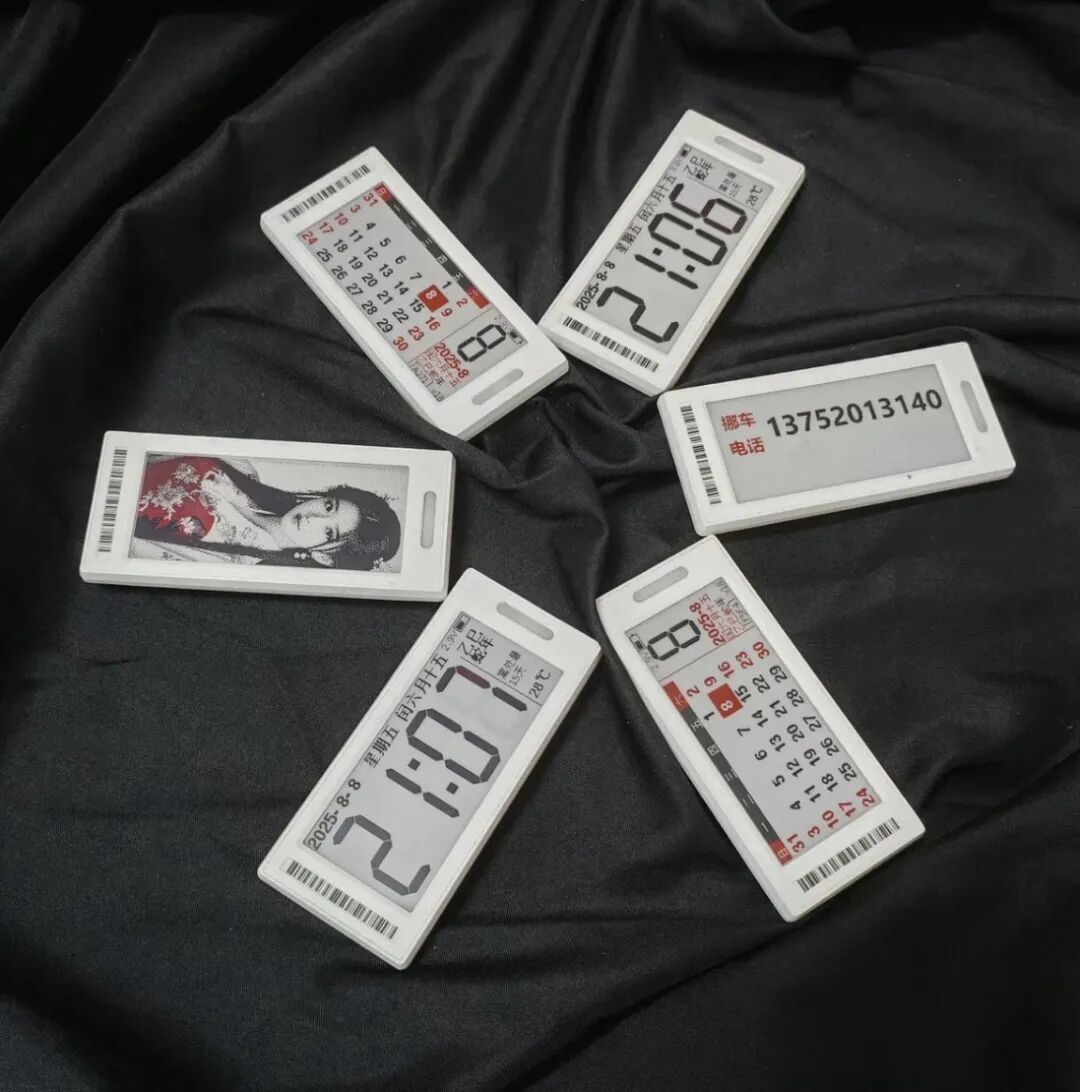
它就是便宜、有趣、省电、耐看。
几块钱、十几块钱买回来,拆壳、看芯片、查型号、接测试点、刷固件、等屏幕慢悠悠刷新出第一张图。这个过程本身就很垃圾佬,也很数码玩家。
Electronic paper tags, originally electronic price tags on supermarket shelves.
The supermarket backend changes the price, and the small screen on the shelf is updated synchronously. Previously, paper had to be changed manually; now a system sends the updates directly. Its positioning is very clear: low power consumption, long lifespan, batch management.
In the past two years, electronic price tags have been rediscovered and played with on Xianyu, Bilibili, and forums. People use them as desktop weather plates, calendars, workstation nameplates, NAS status screens, Home Assistant info screens, and even attach them to doors to display packages, to-do lists, RSS subscriptions, and server status.
They gained popularity for a simple reason: cheap, complete, low power consumption.
Inside an electronic price tag is essentially an e-ink screen, a microcontroller, a wireless module, a battery compartment, a case, and an antenna. Players don’t need to design hardware from scratch; they just need to find the datasheet for the corresponding model, flash the firmware, or reconnect the screen to turn it into a small, low-power display terminal.
E-ink’s advantage is obvious. It doesn’t glow all the time; it consumes power only during screen updates and can maintain the displayed image for a long time. On a desk, it shows weather, calendar, or to-do lists without glare, and it’s not as obtrusive as a backlit screen. Many commercial tags are designed for years of battery life; for personal desktop use with low refresh rates, the battery performance is very comfortable.
The structure isn’t complex after disassembly.
The front is an electrophoretic display screen, with common sizes being 1.54 inches, 2.13 inches, 2.9 inches, and 4.2 inches, as well as larger 7.5-inch versions. Colors are mostly black/white, black/white/red, or black/white/yellow, with newer models offering four-color e-paper. The board usually contains a low-power MCU or wireless SoC, along with SPI Flash, display drivers, power management, battery contacts, and an antenna. Some models also include NFC, LEDs, or buttons.
The real trouble isn’t the screen, but the model variety.
Electronic price tags are not uniform development boards. Different brands, batches, and years have vastly different internal designs. Two seemingly identical 2.13-inch white plates could contain an MSP430, a CC2640, a TLSR8359, a Nordic nRF, a ZigBee solution, or a SiLabs chip. The communication methods also vary: BLE, 2.4 GHz proprietary protocols, IEEE 802.15.4, or SubGHz.
So when buying these, you can’t just look at appearance and size.
For secondhand tags, the model and chip are crucial. If a model has been successfully flashed by others with complete documentation, it’s safer. Items labeled vaguely — like “e-ink price tag,” “supermarket tag,” or “electronic paper tag” — without chip info, back photos, or board images are risky. You might luck into a flasheable toy or end up with a plastic block holding a detachable screen.
There are roughly three types of player modifications.
The first type retains the original board and flashes third-party firmware.
OpenEPaperLink is a well-known open-source project for this. It turns electronic shelf labels into controllable info screens, providing an AP gateway firmware, tag firmware, and web management interface. Players can use an ESP32 or dedicated AP to set up a gateway, then flash compatible tags. Afterward, images, text, weather, calendars, RSS, and Home Assistant states can be pushed via the web.
The advantage here is that the hardware remains intact — original battery, case, screen, and wireless module are preserved, looking like a finished product rather than a hacked board. The downside is strict model compatibility; not all tags can be flashed, and not all setups work with a single AP.
The second type abandons the original board and uses only the screen.
This approach is more direct. After dismantling the tag, the e-ink screen is treated as a standard electronic paper module, driven by an ESP8266, ESP32, or STM32. The display content is fully controlled by the player’s program, enabling weather, time, calendar, and custom graphics.
This suits stationary desktop gadgets well, offering clear logic and full control. But it requires figuring out cable definitions, screen models, timing sequences, and power supply — especially since tag screens often differ from common developer modules in terms of connectors, orientation, or driver ICs.
The third type involves tinkering with gateways and radio protocols.
Some tags continue to use their original wireless communication, but players replace the supermarket backend with their own gateway. This involves hardware like ESP32s, CC1101s, CC2531s, or A7105s, and protocols like 2.4 GHz, SubGHz, BLE, or proprietary schemes. It’s more advanced, requiring wireless and protocol analysis skills — more fun but steeper learning curve.
In the software ecosystem, OpenEPaperLink is currently the most complete pipeline.
It’s not just “make the screen light up”; it’s a mini electronic label management system with backend, templates, image pushing, tag management, and both AP and tag firmware. Once flashed, a price tag becomes a unified, low-power display terminal capable of multiple functions.
ATC_TLSR_Paper focuses on Telink TLSR8359-based Hanshow tags. It provides custom BLE firmware for models like Hanshow Stellar, with tools for WebSerial flashing, WebBluetooth image upload, and OTA writes. It’s great for specific models but requires exact chip and version matching.
ZBS series tags often use ZBS_Flasher, targeting ZBS243 or SEM9110 chips. Flashing here usually requires test points or jigs — not plug-and-play like USB devices — making it more hardware-oriented.
Sizes 2.13 inches and 2.9 inches are ideal for beginners.
They’re cheap, widely available, and have plenty of documentation. Perfect for weather boards, calendars, or to-do lists. The 4.2-inch size offers better visibility and room for more info, making it feel like a proper info screen. The 7.5-inch+ sizes are suitable for doorplates, announcements, or family dashboards, but at higher cost and complexity.
B/W screens are the most reliable with faster refreshes.
Tricolor and four-color screens are cooler (showing red/yellow alerts), but refresh significantly slower — often 10+ seconds per full update. They’re better for static information than dynamic displays.
The best use case is low-frequency refresh: 35) Update weather every half-hour, calendar daily, to-do manually, server status every few minutes. This maximizes battery life. Using them as stopwatches, lyric boards, or animations won’t work well — they’re meant to be quiet, slow, and energy-efficient.
Weather updates every 30 minutes, calendar daily, to-do manual, server status every few minutes — battery lasts long. Not for stopwatch, lyrics, or animation — that’s not what e-ink does. It’s quiet, slow, energy-efficient, and looks good over time.
When buying secondhand, focus on four things: 37) Clear model and MCU identification, physical screen condition, battery compartment corrosion, and available back photos. A seller offering only front shots is risky. Many tags come from decommissioned stores, so minor scratches are okay — but broken screens, damaged cables, or unsupported MCUs are dealbreakers.
Model clear, controller visible, screen intact, battery bay clean. Back label, PCB photo, ribbon cable — all important. Seller only shows front? Be careful — these often come from retired retail tags, overstock, or failed projects. Scratches are minor; leakage, broken cables, or non-flashable chips are dealbreakers.
The charm of e-ink tags lies in the space between semi-finished and finished.
They’re cheap, fun, efficient, and pretty — and the journey from unboxing to seeing the first image is part of the hobby. Whether you’re a tinkerer or a serious maker, these little screens offer endless possibilities with minimal overhead.
Spent a few bucks, stripped the case, checked the chip, found the model, rigged test points, flashed firmware, waited for the screen to slowly reveal the first image. That’s the junker/tinker experience right there — rewarding in its own way.
原文链接: https://mp.weixin.qq.com/s/ETs0L-jp_myx0mtbTKbZwA