
那这台P6+又是干嘛的?它是P6的升级:没摄像头,不能用流量。但是它加上了手写功能。
我知道有人想说,不就是P6多了根笔吗?嘿,还真不是。相比老款,这台机器从外观手感到屏幕底层,改变还挺多的。

拿在手上第一感觉就是更好拿了。它比老款变薄了一些,侧边的棱角也重新做了调整。其实上一代的弧度就已经挺随手了,但这一代更进一步,边角磨得更圆了。机器的R角也变圆了一点,不像老款逼死强迫症了。
再看屏幕,这代P6+的视觉观感,总结起来就是:更黑、更透、更养眼。
它的盖板升级成了钢化玻璃,既可以减少“划痕焦虑”,又比之前的亚克力盖板通透。墨水也升级到了Carta1300。如果关闭灯光,好像新版的底色要比上一代深一点,我分析有两个原因。
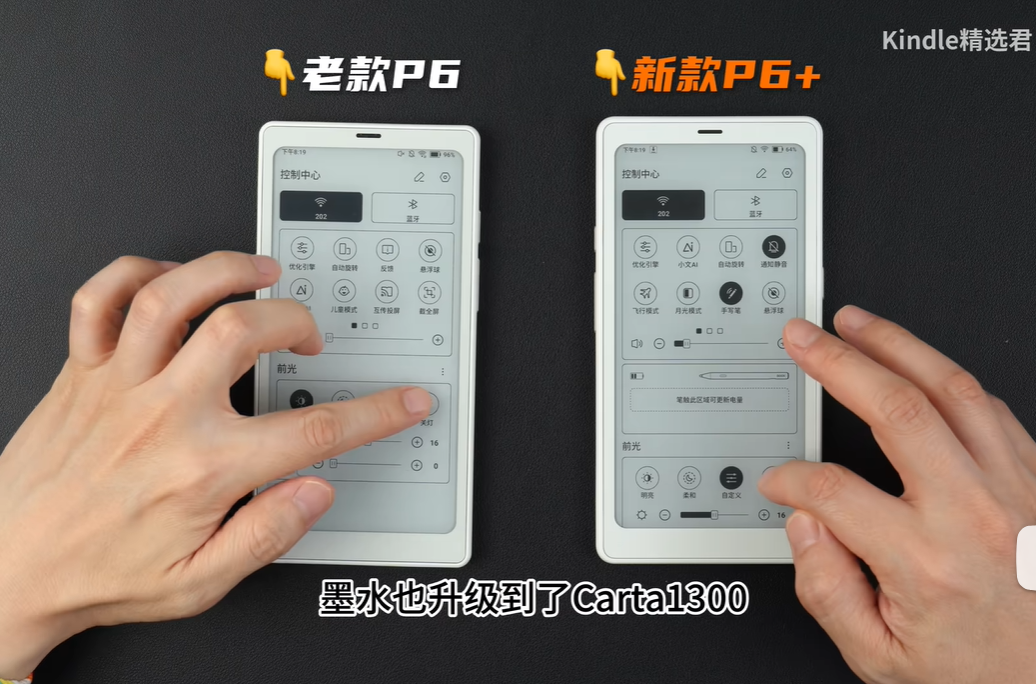
我猜测这是为了支持手写笔加的网格线。底色也不用太在意,因为平时我们都会开一点灯光,打开灯光,两者的差别不大,而因为新款是1300的墨水,能明显看出文字更黑,屏幕的对比度更高。
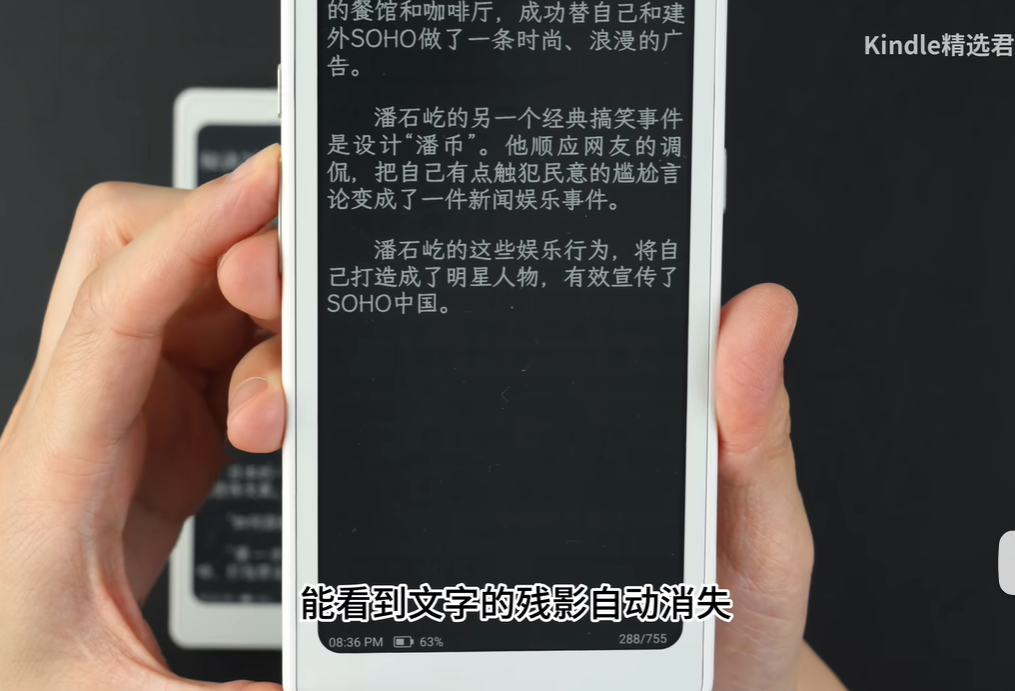
要是你喜欢使用黑底白字的夜间模式看书,P6+翻页时能看到文字的残影自动消失,体验更好了。上一代还没有这个技术,翻几页残影就很多。
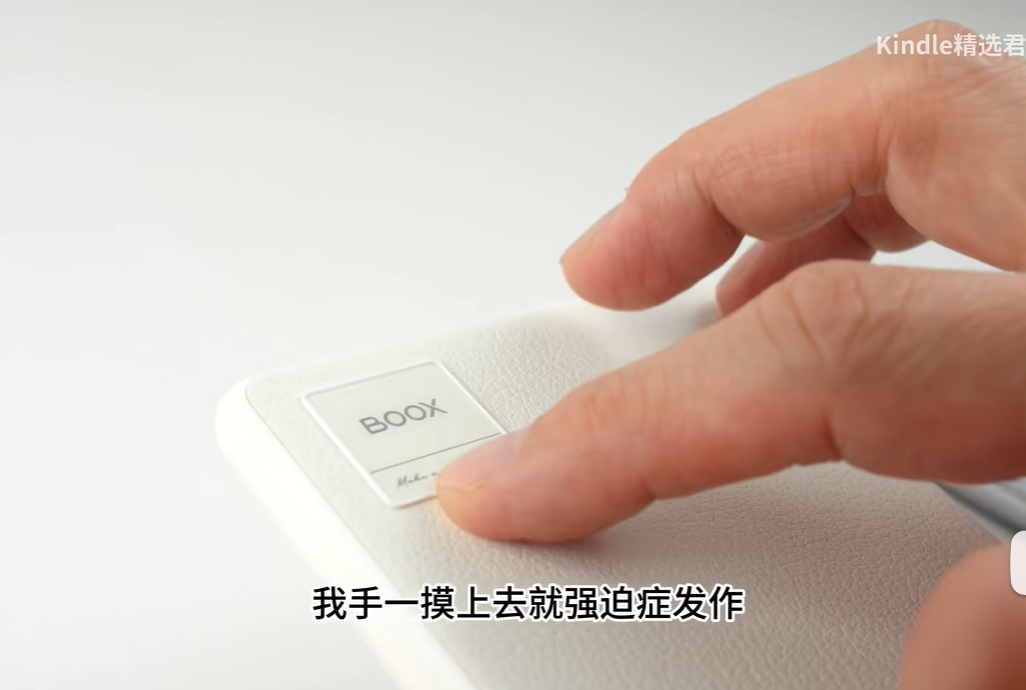
但背面这个Logo我是真的想吐槽。它没有摄像头却把logo突出背板,我手一摸上去就强迫症发作,总想把它抠下来。你要是想把它在桌面上放平,必须套上保护壳。
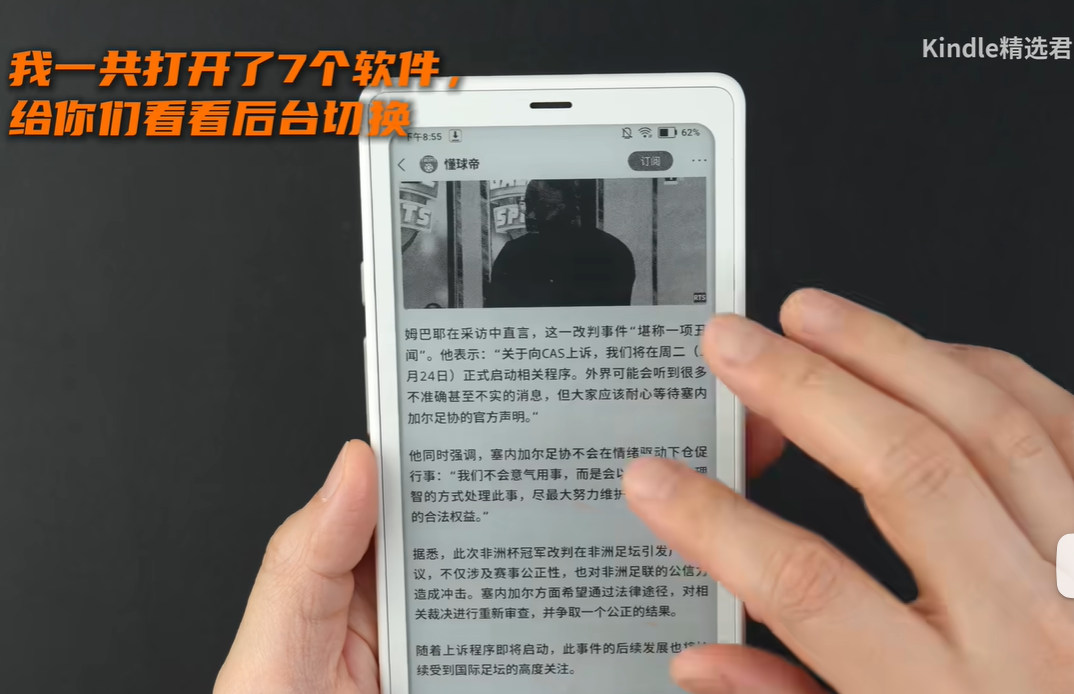
不管是之前的P6还是去年的Pro,到这台P6+,都是同样的高通690CPU,6G内存。运行软件的体验如何呢,咱们请看VCR。
这次终于终于支持全局深色模式了,在右上角下划选择月光模式,会弹出提示还是尝鲜版本,体验不佳等等。我实际体验下来,它确实完成了从“无”到“有”的跨越,但还没达到从“有”到“优”的爽快。
用第三方软件看书,翻几页就能看到文字残影。翻几页还是能看到一小部分文字残影。这个深色模式我真是从无到有催了好几年,现在总算有了,但体验不佳。我问官方,他们说正在优化中,你们到手后可以测试下。
一开始我和大家想的一样,觉得这屏幕还没笔长呢,写字得有多别扭。但实测下来,发现还有点意思。
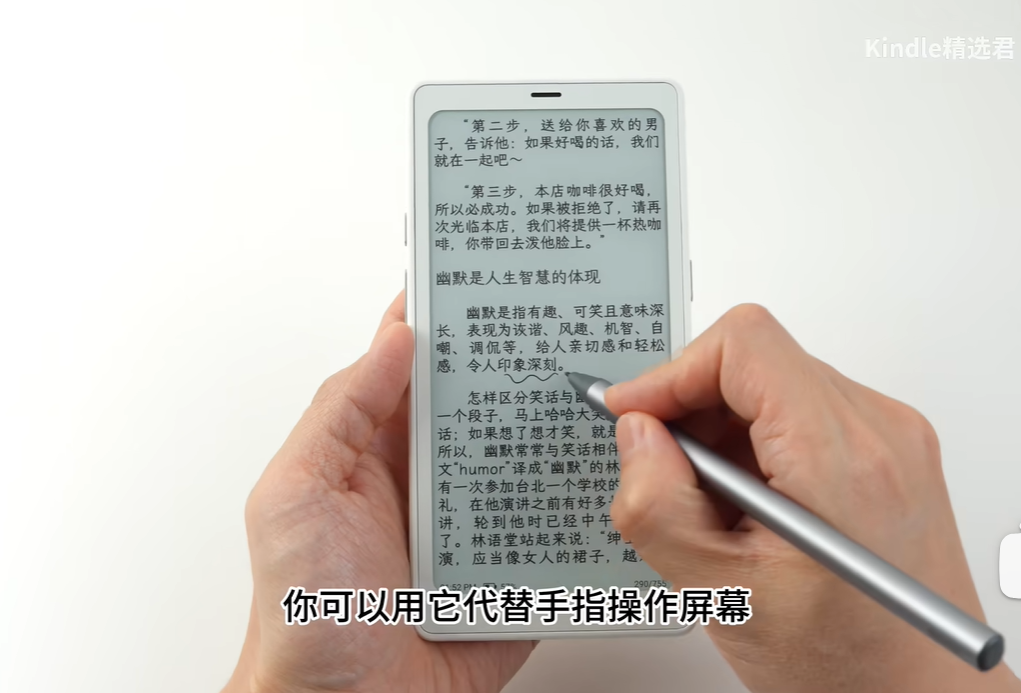
你可以用它代替手指操作屏幕,可以在书籍上划线、手写笔记,还有专门的笔记软件,可以和大屏的笔记同步。
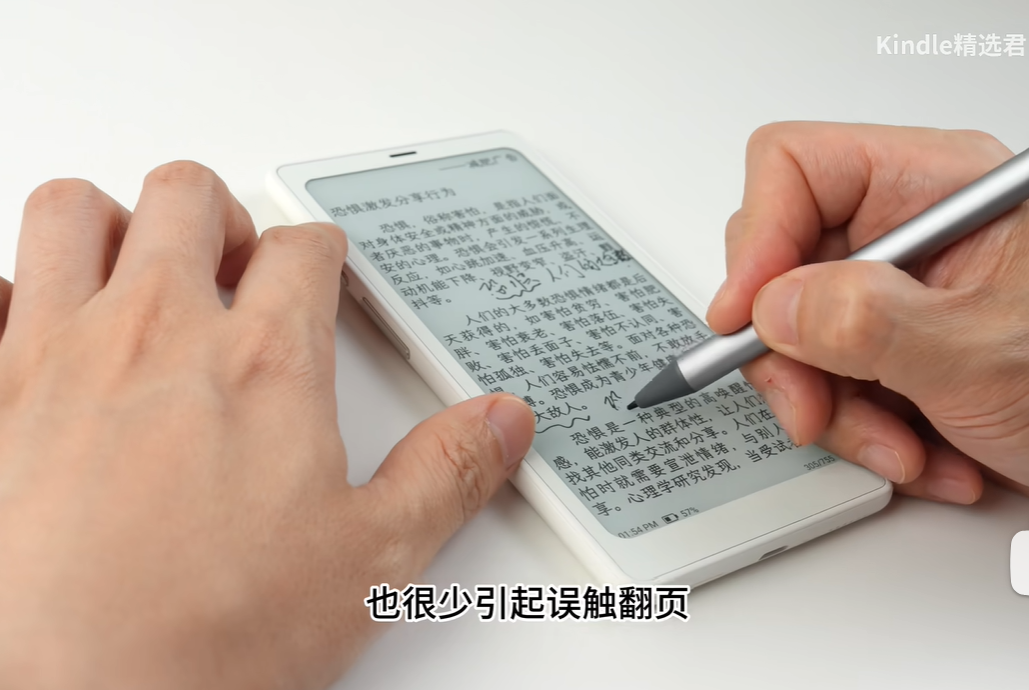
我觉得这相当于给它多一个用途。以前买小白马的朋友,大多是为了刷刷网文、看看资讯软件。但有了这根笔,就不一样了。
在这上面手写的笔记可以导出,也可以同步到大屏上, 相当于多了一个更便携的学习工具。
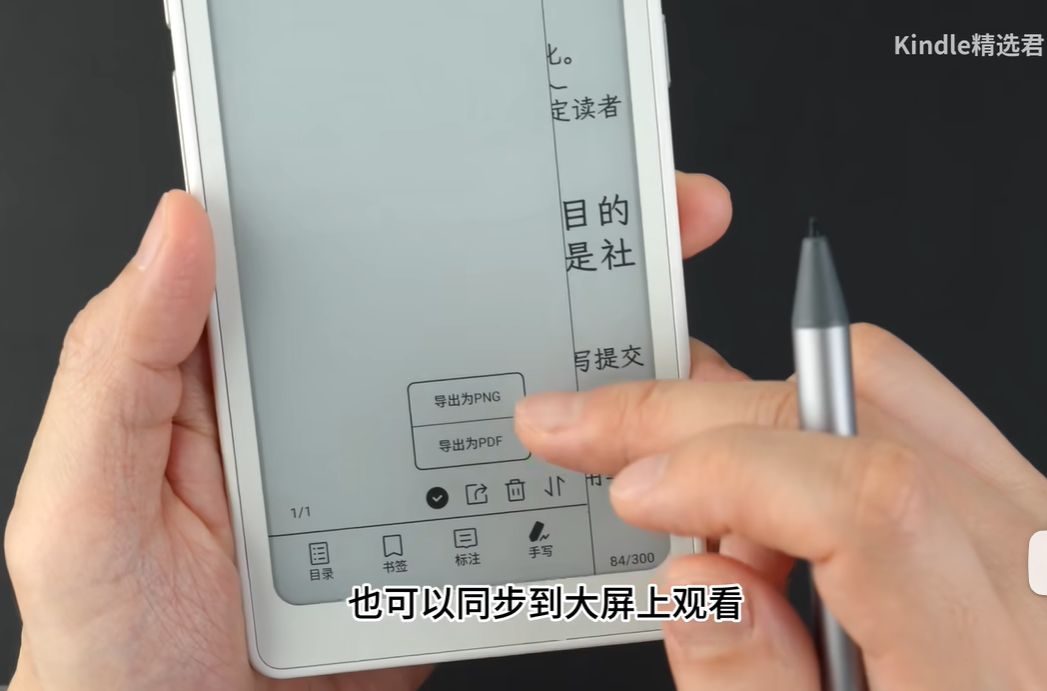
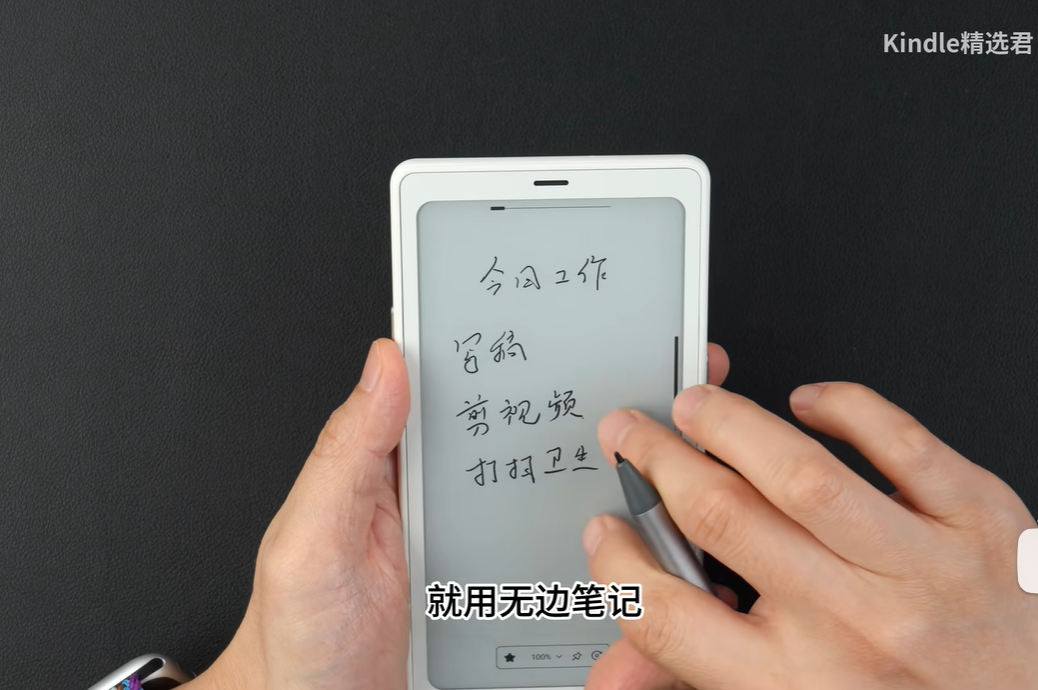
有了这根笔,你随身带着走的不止是千百本书,更是无数个可以随时开启的笔记本。
美中不足,它采用的是电容笔,需要额外充电。另外,这支笔要单独购买,官方的还不便宜,不过理论上来说都是电容笔,那么其他品牌的应该也能通用。
最后总结一下吧。小白马P6+,在上一代基础上改进了手感、显示,特别适合随身看下载的书籍,或者在有wifi的场景使用软件。而它的手写功能,更是锦上添花。
它特别适合两种人:第一种,是追求性价比、喜欢随身看本地书籍的纯粹阅读者;第二种,是习惯随身带个本子、想利用碎片时间做点笔记的“效率达人”。
Hey everyone, what's the deal with a tablet-sized e-reader coming with a stylus? Is the manufacturer just being weird, or is it actually useful?
The device I have here is the new Boox Nova 3 Plus (P6+). Boox's naming scheme is confusing as hell. Let me break it down for you: the basic model originally came out as the Nova 3. Then came the Nova 3 Pro, which added SIM card capability and a camera. And then comes the Nova 3 Plus (P6+), which upgraded the screen to color and included a stylus.
So what's the point of this P6+? It's an upgrade from the original P6: no camera, no cellular connectivity. But it does have stylus support.
I know what you're thinking: "Isn't this just the old P6 with a pen thrown in?" Actually, no. This new model is significantly different both in terms of handling and screen technology.
The first thing you notice is how much better it feels in the hand. It's slimmer than the last version, and the edges have been redesigned. The previous version was already pretty comfortable, but this one takes it a step further with more rounded corners. The screen radius is also more pronounced, which makes it look less like a square block.
Speaking of the screen, the P6+ has a much cleaner, darker, and more pleasant display.
The cover is made of tempered glass now, which prevents scratches and allows for a sharper image than the old acrylic cover. The e-ink has also been upgraded to Carta 1300. Without any backlight, the new version appears to have a darker background than the old one. I think there are two reasons for this:
First, the white bezel on the new model contrasts with the background color (cyan on the old model), making the screen look darker by comparison. Second, the display has a very fine mesh pattern that becomes visible under magnification—this is likely to support the stylus. You can't see this pattern with the naked eye or even from a distance of 5 cm, only when zoomed in.
Don't worry too much about the background color; usually, you'd have the backlight on anyway, in which case both screens look pretty similar. However, because the new ink is Carta 1300, the text is noticeably blacker, indicating higher contrast.
Higher contrast is better for reading, period. It's easier on the eyes and reduces strain. So if you're just reading books, comics, or text-based content, the P6+ is a significant upgrade in terms of reading experience.
If you like reading in "night mode" (white text on black background), you'll appreciate that the P6+ has improved ghosting, meaning the previous page doesn't leave a faint image as clearly. The older model struggled with this.
The button layout has been shuffled around to match the Pro model. The right side has the power button, while the left has context buttons and page flippers. The SD card slot is now at the bottom. The previous buttons were small and stiff; the new ones are softer and have a satisfying click.
But man, that logo on the back is terrible. It sticks out from the case, which is a nightmare for people with OCD. It makes the device wobble if you set it down, necessitating a case.
Under the hood, it's still the same Qualcomm 690 with 6GB of RAM as before. How does it perform? Let's see (video of performance).
One HUGE improvement: dark mode is finally global. You can activate it by swiping down from the top right. While it's a step up from "nothing" to "something," it's not perfect yet. There's still visible text residue (ghosting) when flipping pages in the dark mode. The company says they're working on fixing this, so it's something to keep in mind.
Now, the big question: what the hell is point of a stylus on such a small screen?
I thought the same thing at first. The screen is smaller than the pen itself! How would you write? But after trying it, I realize it's actually a cool extra feature.
Writing on this is kind of like writing on a sticky note. It's perfect for quick, off-the-cuff notes. The palm rejection works decently, so your wrist resting on the screen won't mess up your notes.
This adds a whole new use case to the device. Before, you'd buy a Nova 3 to read novels or check the news. Now, you can use it for serious studying — highlighting passages and taking notes on the go.
The note-taking experience isn't perfect, but it's usable. You can zoom in and out to write, and there's a sidebar to quickly switch between zoom levels. If you want to write a lot, you might find it easier to write in "infinite canvas" mode rather than editing a pre-existing note.
The bottom line is that this stylus turns the P6+ from a pure reader into a portable study pad. It's not as good as a real tablet, but it's much better than trying to highlight e-books with a finger.
To wrap up: the P6+ is a solid upgrade with better handling and display quality. The stylus opens up new possibilities for note-taking and studying. However, if you're looking for a device to replace your phone (for social media, notifications, etc.), stick with the Pro version, which has 5G.
Remember, choosing the right e-reader isn't about picking the one with the highest specs. It's about picking the one that fits your life best.
With this pen, you're not just carrying hundreds of books with you — you're also carrying countless notebooks that can be opened at any time.
The downside is that it's a capacitive pen, which means it needs to be charged separately. Plus, the pen has to be purchased separately, and the official one isn't cheap. But since they're all capacitive pens theoretically, other brands should work too.
To sum up: the Xiaobaima P6+ has improved in terms of feel and display quality compared to the previous generation, making it ideal for reading downloaded books on the go or using software in a Wi-Fi environment. The handwriting function is a nice bonus.
It's especially suitable for two types of people: first, those who prioritize cost-effectiveness and love reading local books while mobile; second, "efficiency enthusiasts" who like to carry a notebook around and use fragmented time to take notes.
However, if you need a "smartphone replacement" to browse updates and reply to messages anytime, anywhere — aiming to reduce reliance on your phone — then the Xiaobaima Pro with 5G is the better option for you.
As the saying goes, buy what suits you, not what's most expensive. When choosing an e-reader, don't get hung up on specs; instead, consider whether it can truly integrate into your life and serve as a useful tool. What do you think?